

The run history shows the status of each step in your flow, including any errors.
How to check a failed run
1
Select the failed run
In Power Automate, open your flow, go to the Run History, and select the run that failed.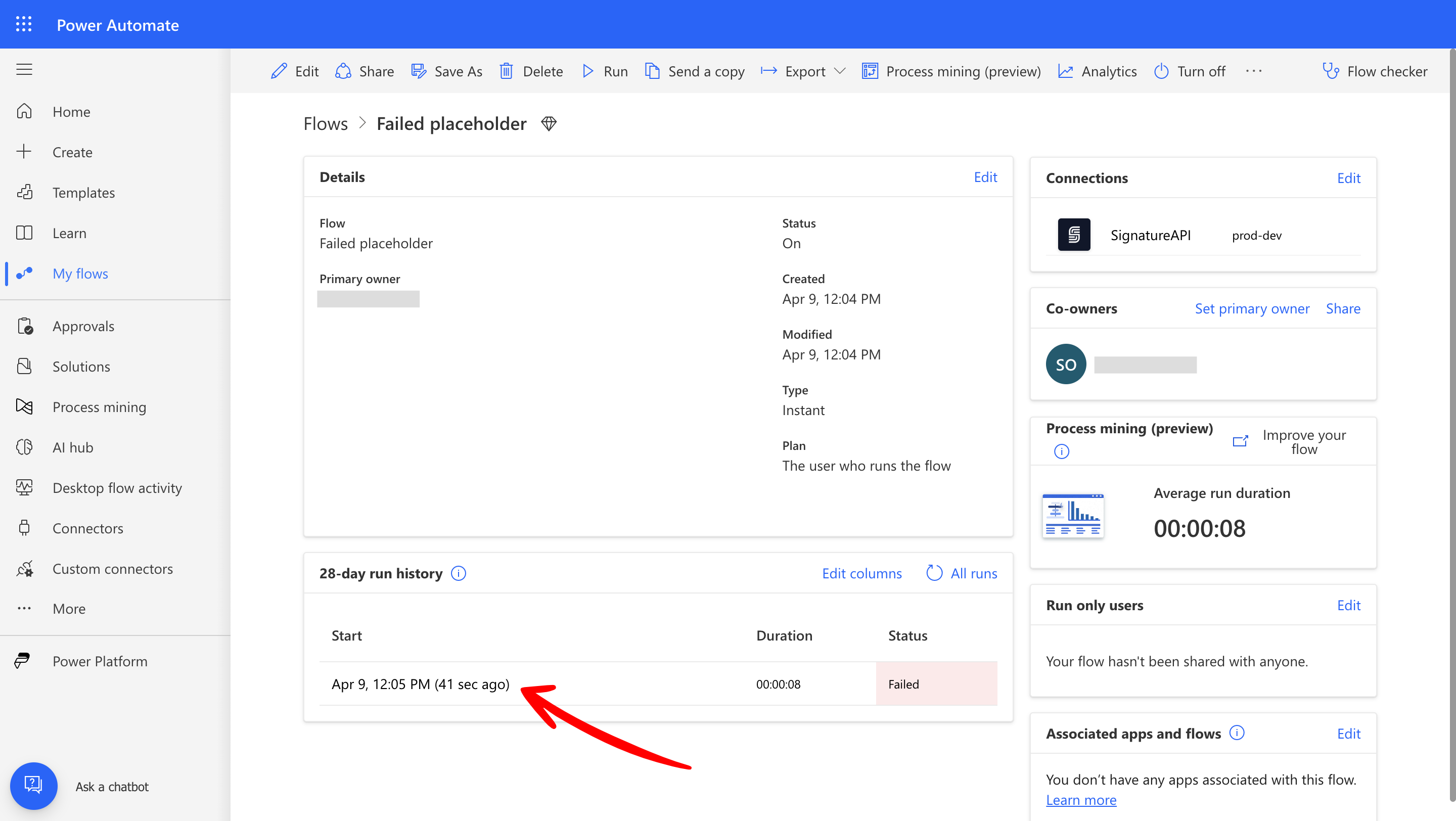
2
Select the failed step
Find the failed step (with the red ) and select it.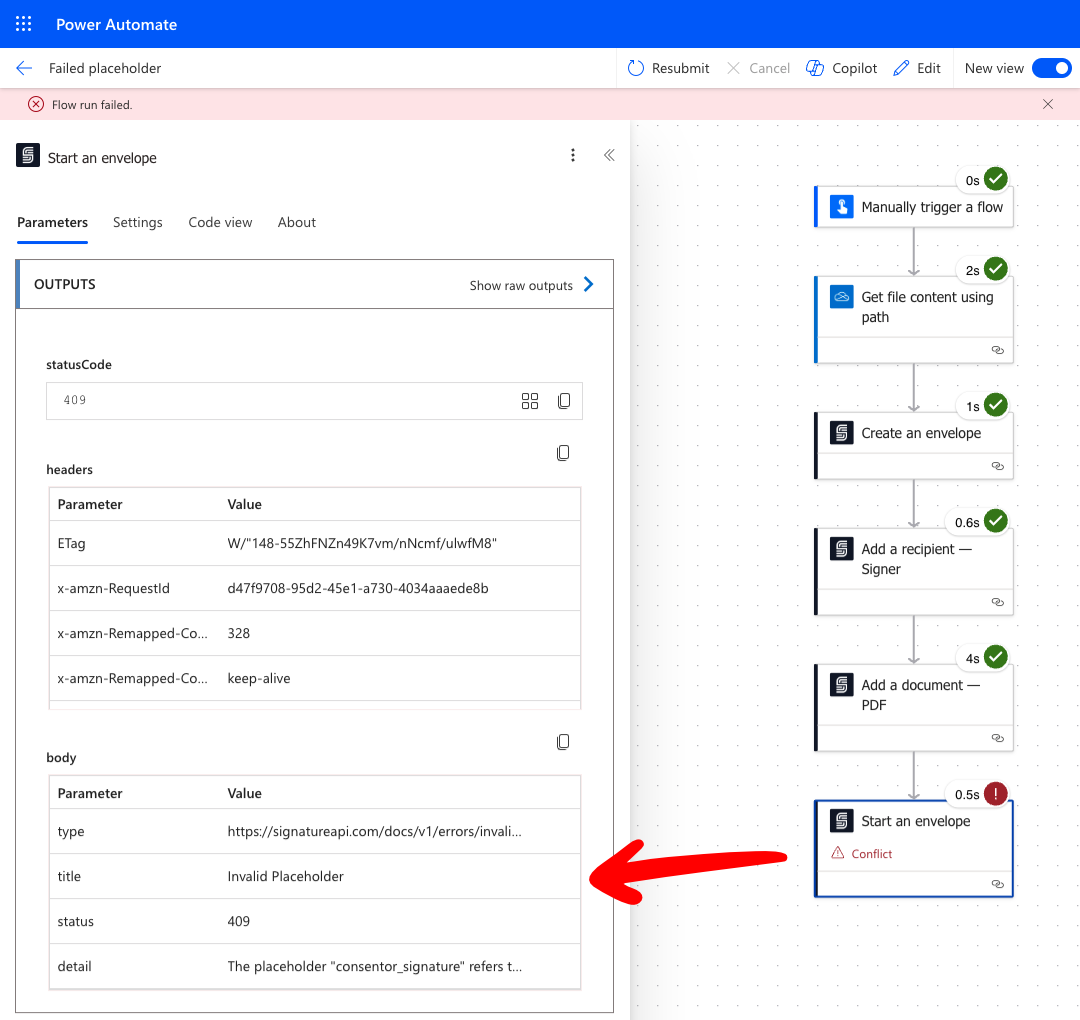
- The
typeparameter is a URL to a page with more information about this error. - The
detailparameter provides more information about this specific error.