> ## Documentation Index
> Fetch the complete documentation index at: https://signatureapi-daf4ee54.mintlify.site/llms.txt
> Use this file to discover all available pages before exploring further.
# Getting Started
> Start using the SignatureAPI connector in Power Automate
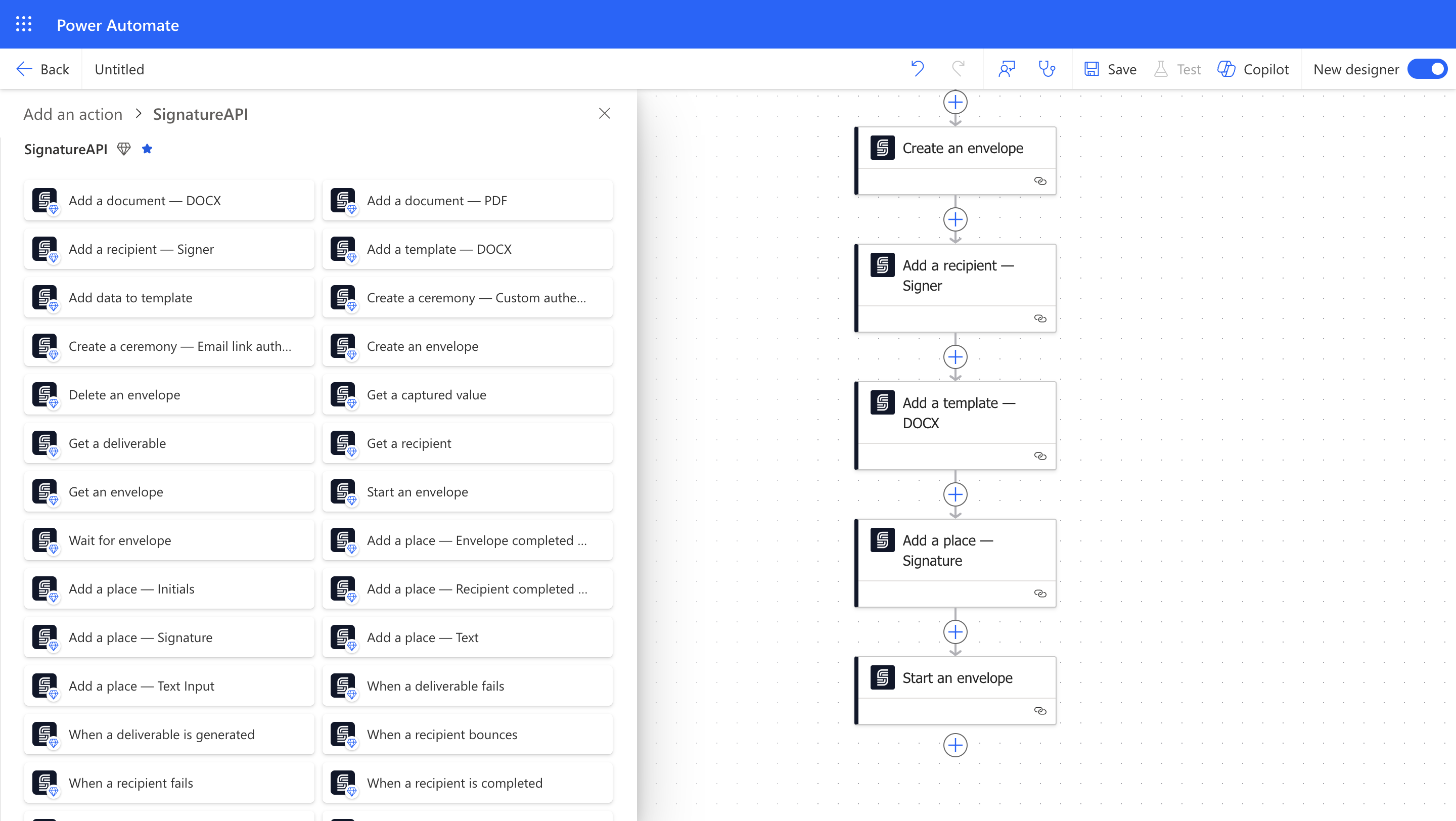
The SignatureAPI connector lets you add electronic signatures to your Power Automate flows.
 ## Get a Test API Key
To use SignatureAPI in Power Automate, you need an API key.
You can start with a free test API key to try out the platform. Here’s how:
[Sign up](https://accounts.signatureapi.com/sign-up) for a free SignatureAPI account.
Go to the [API Key section](https://dashboard.signatureapi.com/settings/api-keys) in your SignatureAPI settings to get your test key.
Test API keys let you create test envelopes. These are useful when building and testing your flows. Test envelopes:
* Don’t send emails to recipients, but you can see them in the Email section of your dashboard.
* Are not legally binding.
* Are free to use.
## Create a Connection
Use your test API key to create a connection to SignatureAPI in Power Automate:
In Power Automate, open an existing flow or create a new one.
Add the [Create Envelope](/docs/integrations/power-automate/actions/create-envelope) action from SignatureAPI.
Enter a name for your connection (for example, `SignatureAPI Test`) and paste your test API key.
Learn more about [API keys and how to create them](/docs/api/authentication).
## Your First SignatureAPI Flow
Follow our [Quickstart](/docs/integrations/power-automate/guides/quickstart) to create an envelope and send it with SignatureAPI.
## Switch to Live Mode
When you're ready to send legally binding envelopes, add a payment method and get a live API key. Live envelopes:
* Send emails to recipients. You can also view these emails in your dashboard.
* Are legally binding.
* Are billed.
We recommend creating a new connection with your live API key. You can name it something like `SignatureAPI Live`.
## Get a Test API Key
To use SignatureAPI in Power Automate, you need an API key.
You can start with a free test API key to try out the platform. Here’s how:
[Sign up](https://accounts.signatureapi.com/sign-up) for a free SignatureAPI account.
Go to the [API Key section](https://dashboard.signatureapi.com/settings/api-keys) in your SignatureAPI settings to get your test key.
Test API keys let you create test envelopes. These are useful when building and testing your flows. Test envelopes:
* Don’t send emails to recipients, but you can see them in the Email section of your dashboard.
* Are not legally binding.
* Are free to use.
## Create a Connection
Use your test API key to create a connection to SignatureAPI in Power Automate:
In Power Automate, open an existing flow or create a new one.
Add the [Create Envelope](/docs/integrations/power-automate/actions/create-envelope) action from SignatureAPI.
Enter a name for your connection (for example, `SignatureAPI Test`) and paste your test API key.
Learn more about [API keys and how to create them](/docs/api/authentication).
## Your First SignatureAPI Flow
Follow our [Quickstart](/docs/integrations/power-automate/guides/quickstart) to create an envelope and send it with SignatureAPI.
## Switch to Live Mode
When you're ready to send legally binding envelopes, add a payment method and get a live API key. Live envelopes:
* Send emails to recipients. You can also view these emails in your dashboard.
* Are legally binding.
* Are billed.
We recommend creating a new connection with your live API key. You can name it something like `SignatureAPI Live`.