> ## Documentation Index
> Fetch the complete documentation index at: https://signatureapi-daf4ee54.mintlify.site/llms.txt
> Use this file to discover all available pages before exploring further.
# Time Zone
> Configure time zones for deliverable timestamps in Power Automate flows
Time zones ensure that the way time is displayed in your deliverables is relevant for you and your customers.
## Default Time Zone
Your account's default time zone can be set in the Settings section of the dashboard.
## Envelope Time Zone
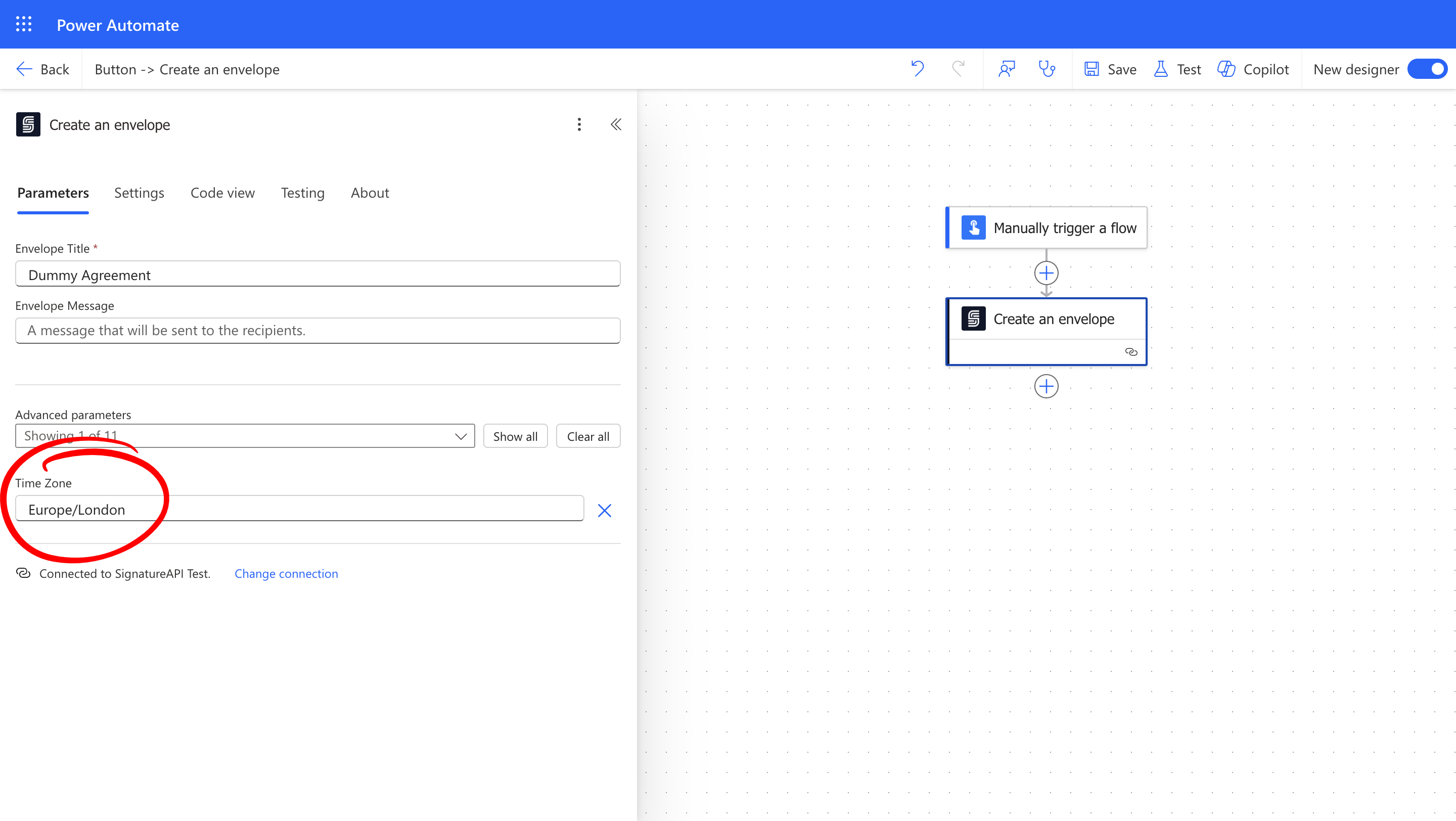
You can override the default time zone for individual envelopes by setting the timezone parameter when creating the envelope.
 ## Common Time Zone Identifiers
SignatureAPI uses identifiers from the [TZ Database](https://en.wikipedia.org/wiki/List_of_tz_database_time_zones). Here are examples of some identifiers:
| **Zone Name Identifier** | **Zone Description** |
| ------------------------ | --------------------------- |
| US/Pacific | West coast of North America |
| US/Eastern | East coast of North America |
| Europe/London | United Kingdom |
| Asia/Singapore | Singapore |
We recommend using zone name identifiers because they automatically handle daylight saving changes. Alternatively, you can use generic offsets such as `Etc/GMT+2`.
## Common Time Zone Identifiers
SignatureAPI uses identifiers from the [TZ Database](https://en.wikipedia.org/wiki/List_of_tz_database_time_zones). Here are examples of some identifiers:
| **Zone Name Identifier** | **Zone Description** |
| ------------------------ | --------------------------- |
| US/Pacific | West coast of North America |
| US/Eastern | East coast of North America |
| Europe/London | United Kingdom |
| Asia/Singapore | Singapore |
We recommend using zone name identifiers because they automatically handle daylight saving changes. Alternatively, you can use generic offsets such as `Etc/GMT+2`.