> ## Documentation Index
> Fetch the complete documentation index at: https://signatureapi-daf4ee54.mintlify.site/llms.txt
> Use this file to discover all available pages before exploring further.
# Timestamp Format
> Customize date and time format displayed in deliverables for Power Automate flows
In addition to time zones, you can customize the timestamps in the deliverables sent to your customers.
### Default Timestamp Format
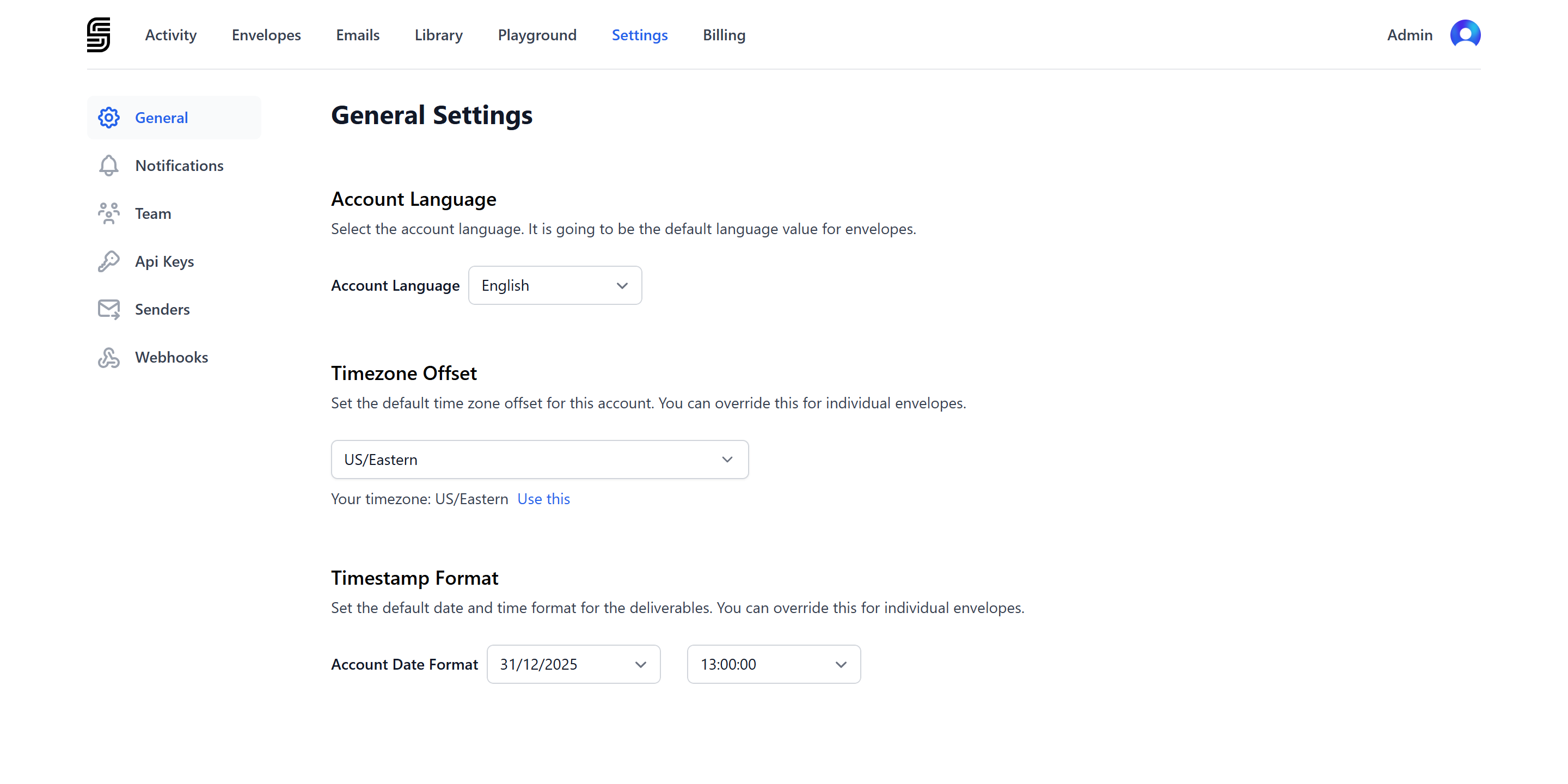
To set a new default timestamp format for your account:
1. Go to [dashboard settings](https://dashboard.signatureapi.com/settings/general).
2. Navigate to the **Timestamp Format** section.
### Envelope Timestamp Format
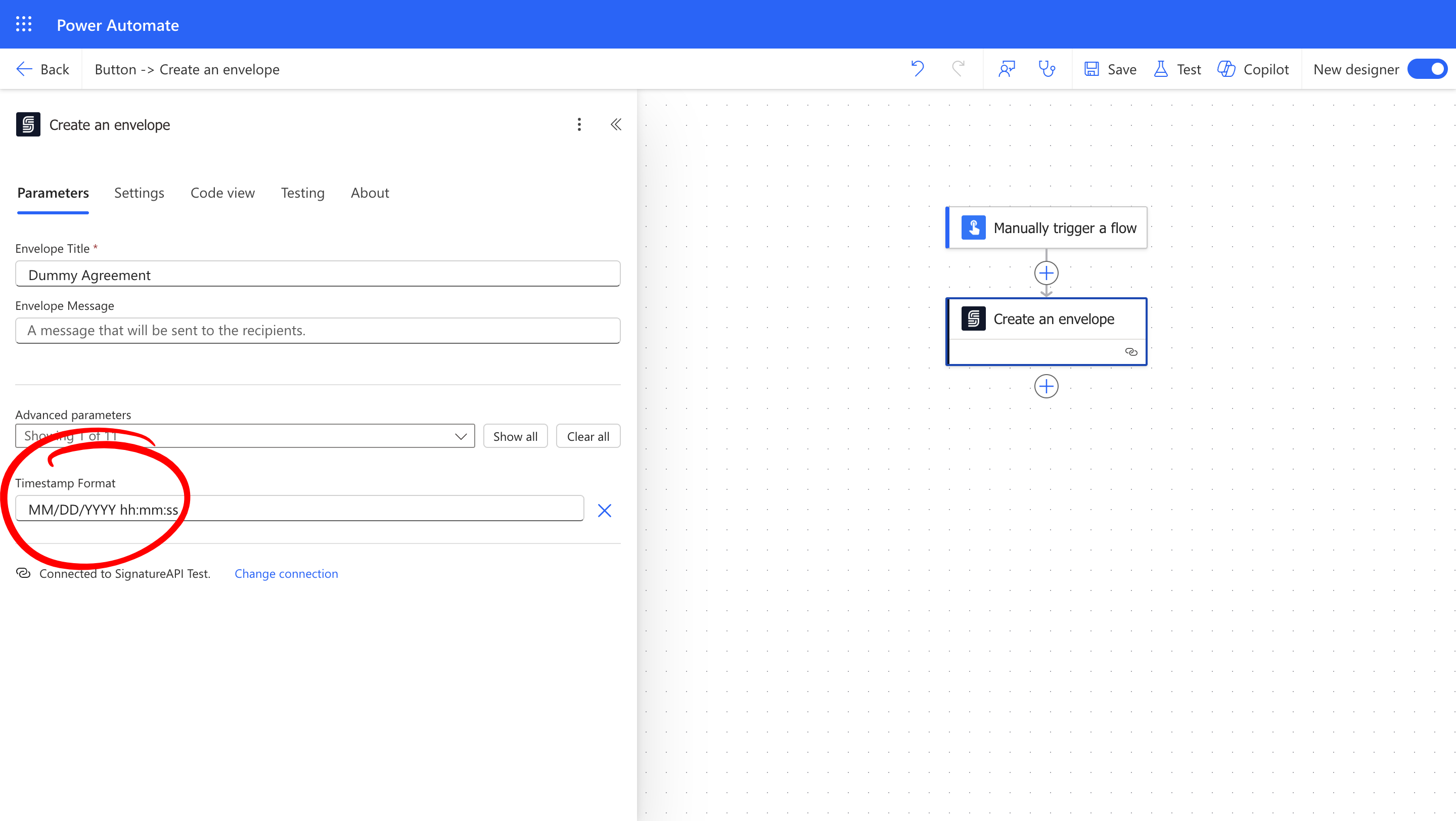
To set a specific timestamp format for an individual envelope, use the `timestamp_format` parameter when creating the envelope:
 ## Building a Timestamp Format
Use these tokens to build timestamp formats:
| **Token** | **Description** |
| --------- | -------------------- |
| YYYY | Year |
| MM | Month |
| DD | Day |
| HH | Hour (24-hour clock) |
| hh | Hour (12-hour clock) |
| mm | Minutes |
| ss | Seconds |
You can use these separators:
* **Date separators**: `/` (slash), `-` (dash), `.` (period), `(space)`
* **Time separators**: `:` (colon), `.` (period)
For example, to build the commonly used US date format, you would use the following tokens and separators:
`MM/DD/YYYY hh:mm:ss`
This will appear in the audit logs as `12/31/2025 11:59:59 PM`.
## Examples of Timestamp Formats
Here are common timestamp formats used in different regions:
| **Timestamp format** | **Example** | **Common Usage** |
| --------------------- | ---------------------- | --------------------------------------------------- |
| `MM/DD/YYYY hh:mm:ss` | 12/31/2025 11:59:59 PM | Primarily in the United States |
| `DD/MM/YYYY HH:mm:ss` | 31/12/2025 23:59:59 | Europe, Australia, parts of Asia and Africa |
| `YYYY-MM-DD HH:mm:ss` | 2025-12-31 23:59:59 | ISO 8601 international standard |
| `DD/MM/YYYY hh:mm:ss` | 31/12/2025 11:59:59 PM | Informal usage globally |
| `DD.MM.YYYY HH:mm.ss` | 31.12.2025 23:59.59 | Commonly in Germanic and Eastern European countries |
## How Does It Look
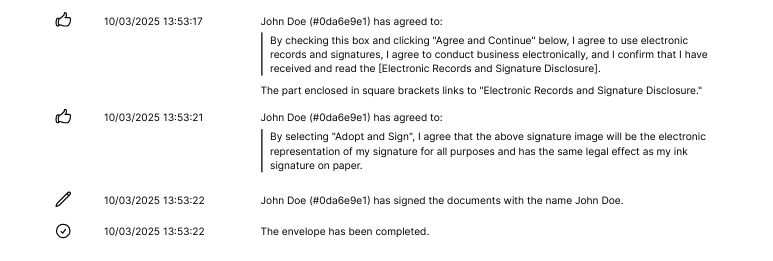
Dates appear in the audit log in the specified format:
## Building a Timestamp Format
Use these tokens to build timestamp formats:
| **Token** | **Description** |
| --------- | -------------------- |
| YYYY | Year |
| MM | Month |
| DD | Day |
| HH | Hour (24-hour clock) |
| hh | Hour (12-hour clock) |
| mm | Minutes |
| ss | Seconds |
You can use these separators:
* **Date separators**: `/` (slash), `-` (dash), `.` (period), `(space)`
* **Time separators**: `:` (colon), `.` (period)
For example, to build the commonly used US date format, you would use the following tokens and separators:
`MM/DD/YYYY hh:mm:ss`
This will appear in the audit logs as `12/31/2025 11:59:59 PM`.
## Examples of Timestamp Formats
Here are common timestamp formats used in different regions:
| **Timestamp format** | **Example** | **Common Usage** |
| --------------------- | ---------------------- | --------------------------------------------------- |
| `MM/DD/YYYY hh:mm:ss` | 12/31/2025 11:59:59 PM | Primarily in the United States |
| `DD/MM/YYYY HH:mm:ss` | 31/12/2025 23:59:59 | Europe, Australia, parts of Asia and Africa |
| `YYYY-MM-DD HH:mm:ss` | 2025-12-31 23:59:59 | ISO 8601 international standard |
| `DD/MM/YYYY hh:mm:ss` | 31/12/2025 11:59:59 PM | Informal usage globally |
| `DD.MM.YYYY HH:mm.ss` | 31.12.2025 23:59.59 | Commonly in Germanic and Eastern European countries |
## How Does It Look
Dates appear in the audit log in the specified format:
