> ## Documentation Index
> Fetch the complete documentation index at: https://signatureapi-daf4ee54.mintlify.site/llms.txt
> Use this file to discover all available pages before exploring further.
# Captures
> Access data entered by recipients during signing ceremonies in Power Automate flows
Some types of [places](/docs/integrations/power-automate/places/place) allow [recipients](/docs/integrations/power-automate/recipients/recipient) to enter data during the ceremony, such as [text input places](/docs/integrations/power-automate/places/text-input). The content entered in these places is rendered on the documents once the recipients complete their participation. In some cases, you may also want to access this input data via the API.
You can use **Captures** to store values entered by recipients during the ceremony.
## Defining Captures
Places that allow arbitrary recipient input (like text input places) have a **Capture As** property. This property lets you define a key to identify the captured value within the envelope.
**Capture As** keys must be unique within the envelope.
For example, the following action adds a [Text Input Place](/docs/integrations/power-automate/places/text-input) that asks a recipient to enter an 8-digit reference number during the signing ceremony:
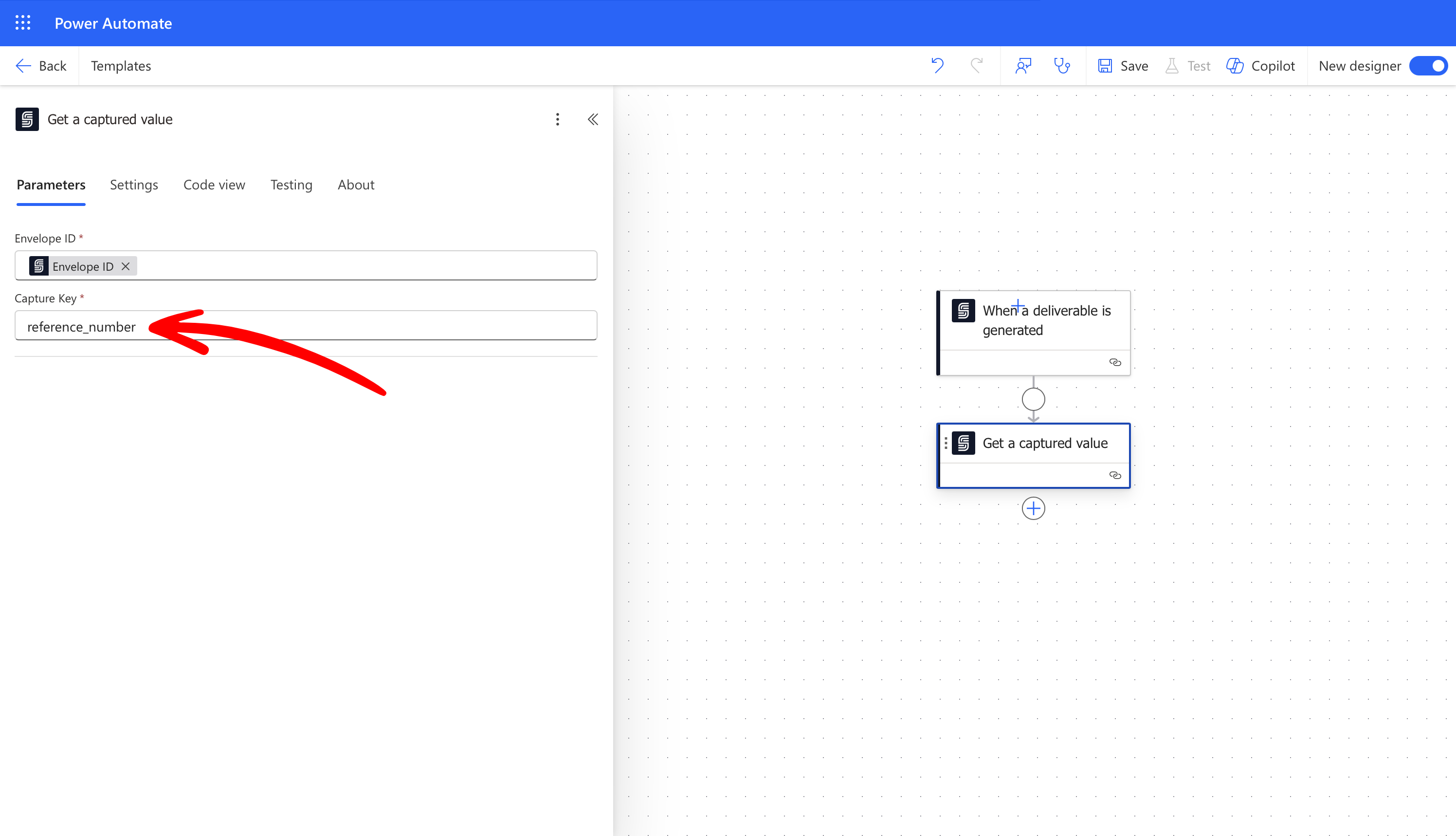
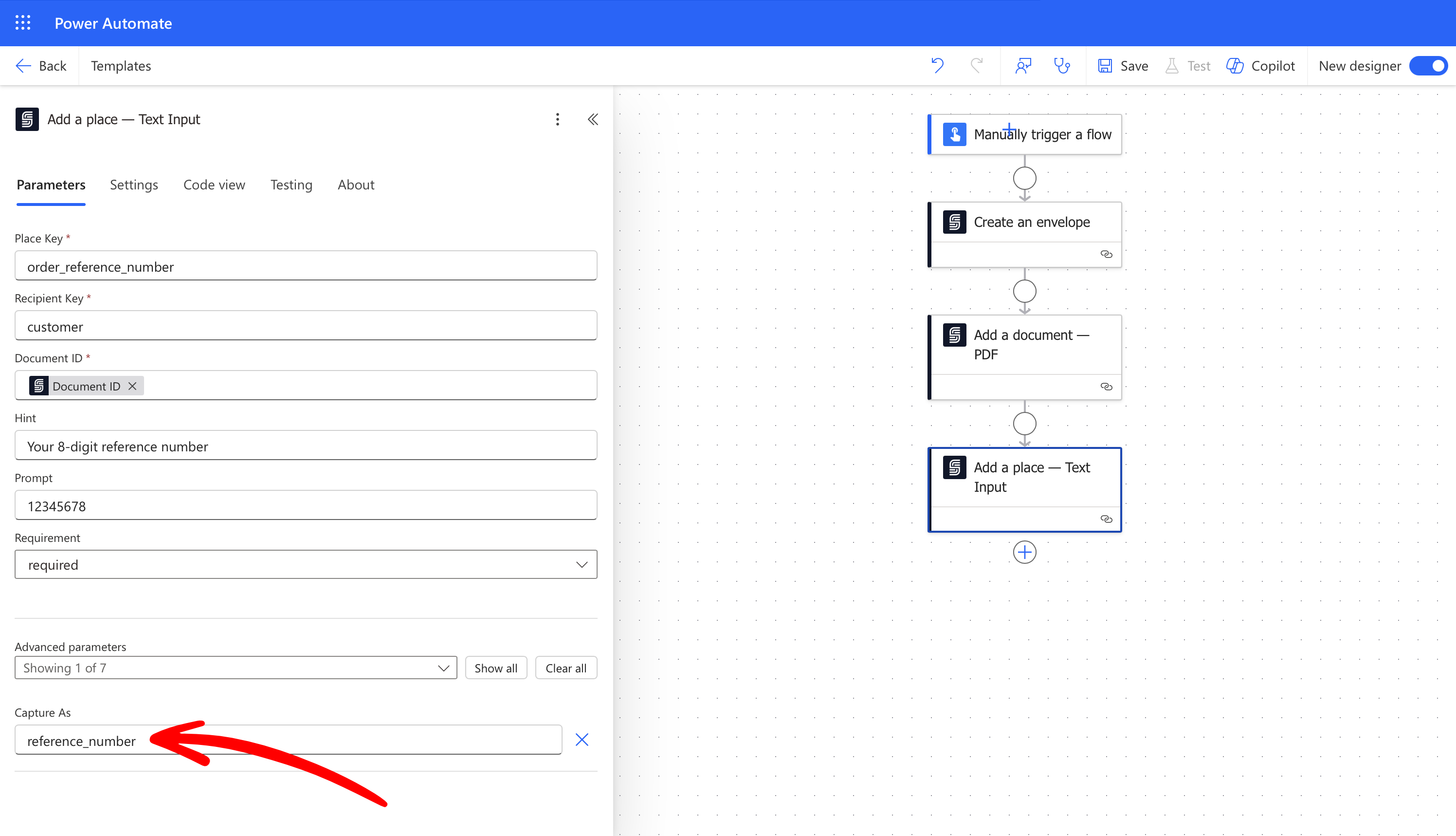 When the customer (the Recipient) completes the ceremony, her reference number will be captured using the key `reference`. You can retrieve this captured value using the [Get captured value](/docs/integrations/power-automate/actions/get-capture) action: