> ## Documentation Index
> Fetch the complete documentation index at: https://signatureapi-daf4ee54.mintlify.site/llms.txt
> Use this file to discover all available pages before exploring further.
# Authentication
> Set up API key authentication to connect SignatureAPI with Power Automate
## Get your API Key
SignatureAPI actions and triggers in Power Automate authenticate using an **API key**.
If you haven’t already, [sign up for a free SignatureAPI account](https://accounts.signatureapi.com/sign-up).
To get your API key:
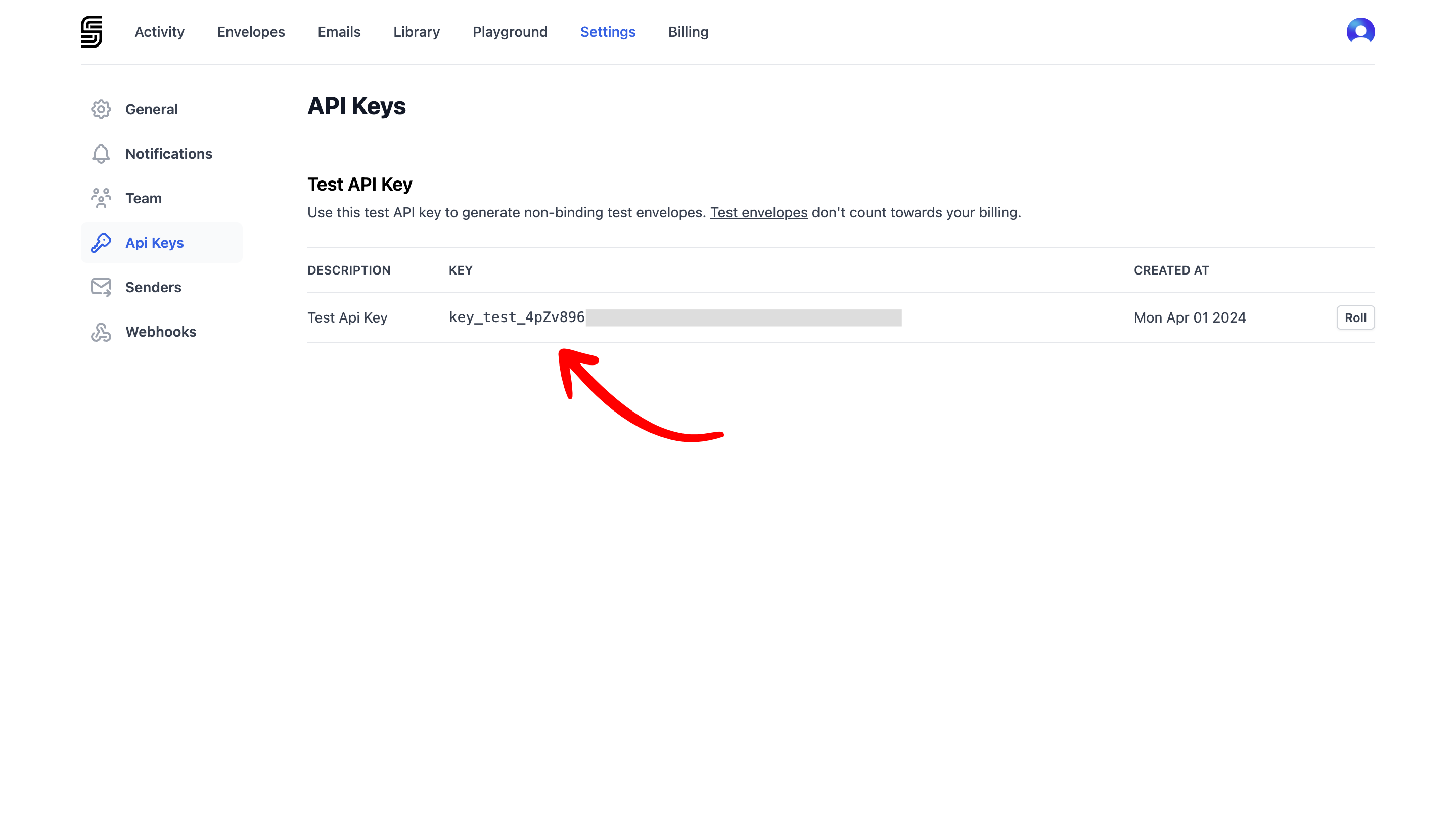
1. Go to **Dashboard > Settings > API Key**.
2. Click to copy your **test API key**.
 ## Test vs Live Mode
**Test API keys** let you create envelopes for testing your flows. These envelopes:
* Don’t send real emails to recipients (but you can preview them in the Email section of your dashboard).
* Are not legally binding.
* Are free to use.
When you're ready to send real, legally-binding envelopes, add a payment method and get a **live API key**. Envelopes created in live mode:
* Send actual emails to recipients.
* Are legally binding.
* Are billed.
## Creating a Connection
The first time you add a SignatureAPI trigger or action in Power Automate, you’ll be asked to create a connection.
## Test vs Live Mode
**Test API keys** let you create envelopes for testing your flows. These envelopes:
* Don’t send real emails to recipients (but you can preview them in the Email section of your dashboard).
* Are not legally binding.
* Are free to use.
When you're ready to send real, legally-binding envelopes, add a payment method and get a **live API key**. Envelopes created in live mode:
* Send actual emails to recipients.
* Are legally binding.
* Are billed.
## Creating a Connection
The first time you add a SignatureAPI trigger or action in Power Automate, you’ll be asked to create a connection.
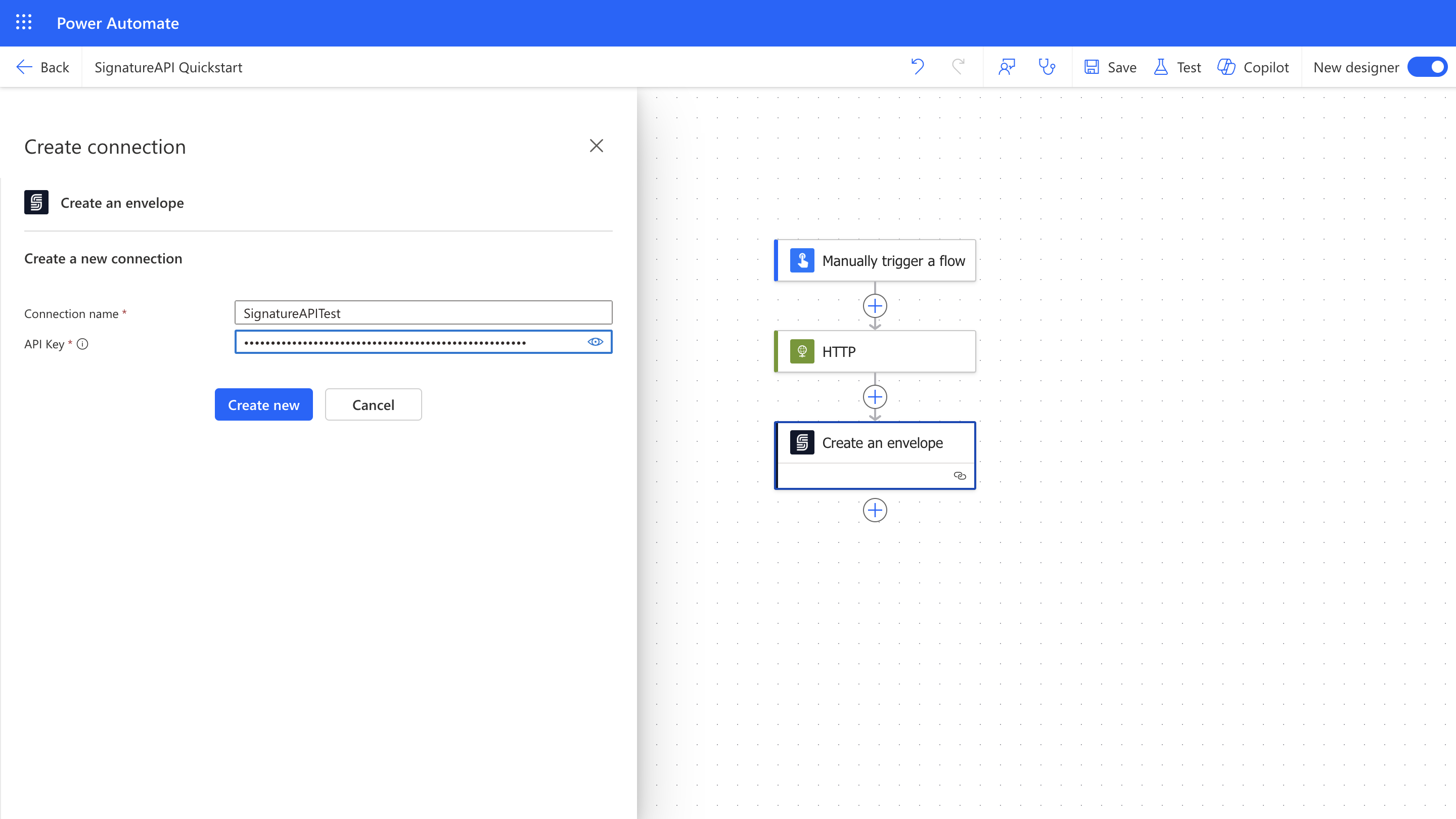 You can name the connection (for example, **SignatureAPI Test** or **SignatureAPI Live**), depending on which API key you're using.