> ## Documentation Index
> Fetch the complete documentation index at: https://signatureapi-daf4ee54.mintlify.site/llms.txt
> Use this file to discover all available pages before exploring further.
# Add a recipient
> Adds a signer to an envelope.
 ### Input
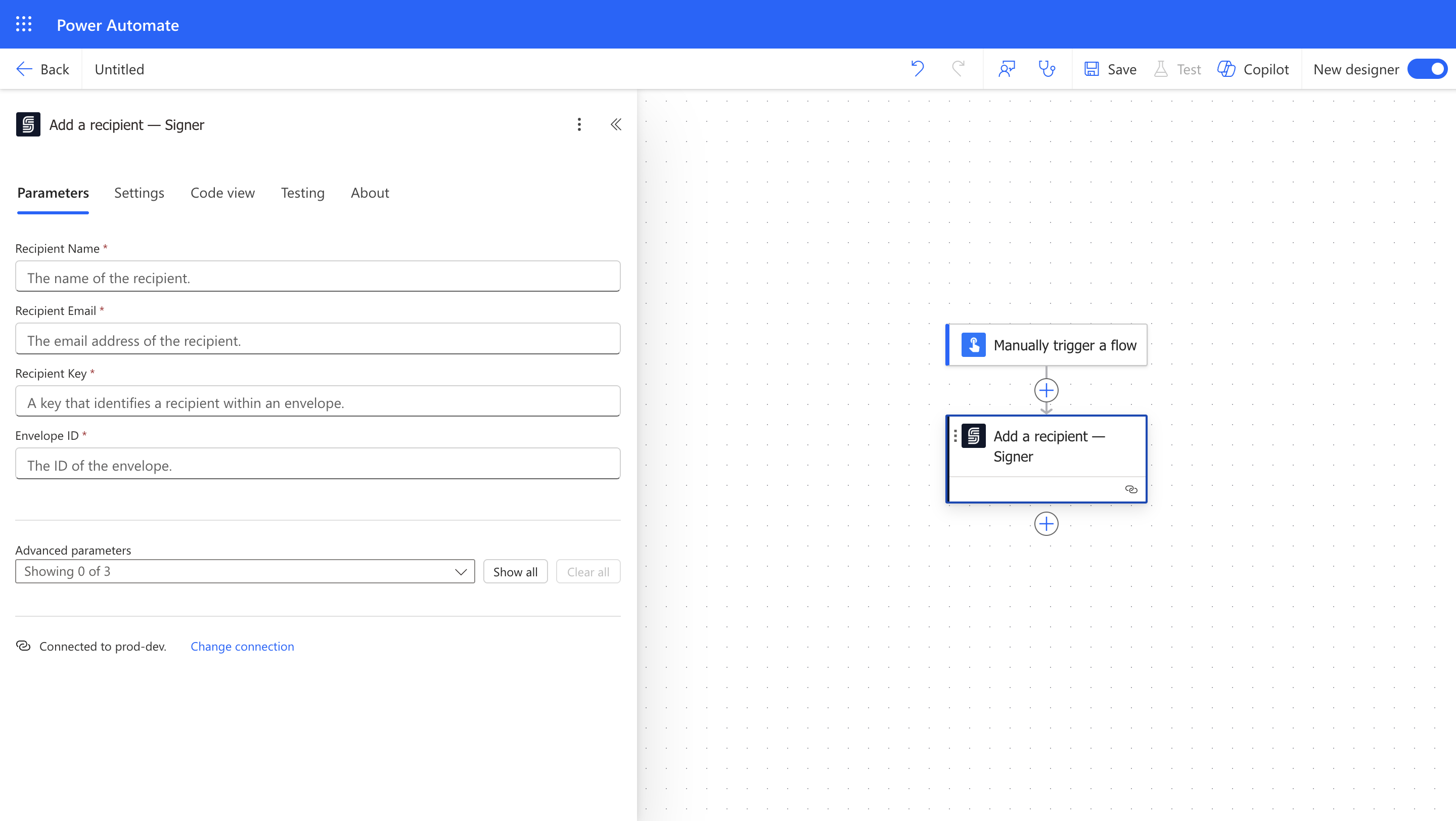
The name of the recipient.
The email address of the recipient.
A user-provided key that identifies a recipient within an envelope.
It must be up to 32 alphanumeric, lowercase characters and must start with a letter. For example: `buyer`, `employee`, `party2` are valid recipient keys.
The ID of the envelope to which the recipient will be added.
How the ceremonies for a recipient are created. It can be `automatic`, where the recipient will be created the ceremony immediately and send via email, or `manual`, where the recipient will be created but the ceremony will be created later.
How the deliverable is sent to the recipient. It can be `email`, where the recipient will receive an email with the deliverable, or `none`, where the recipient will not receive the deliverable.
Extra properties for extensibility.
### Output
The name of the recipient.
The email address of the recipient.
A user-provided key that identifies a recipient within an envelope.
The ID of the recipient.
How the ceremonies for a recipient are created.
How the deliverable is sent to the recipient.
### Input
The name of the recipient.
The email address of the recipient.
A user-provided key that identifies a recipient within an envelope.
It must be up to 32 alphanumeric, lowercase characters and must start with a letter. For example: `buyer`, `employee`, `party2` are valid recipient keys.
The ID of the envelope to which the recipient will be added.
How the ceremonies for a recipient are created. It can be `automatic`, where the recipient will be created the ceremony immediately and send via email, or `manual`, where the recipient will be created but the ceremony will be created later.
How the deliverable is sent to the recipient. It can be `email`, where the recipient will receive an email with the deliverable, or `none`, where the recipient will not receive the deliverable.
Extra properties for extensibility.
### Output
The name of the recipient.
The email address of the recipient.
A user-provided key that identifies a recipient within an envelope.
The ID of the recipient.
How the ceremonies for a recipient are created.
How the deliverable is sent to the recipient.