> ## Documentation Index
> Fetch the complete documentation index at: https://signatureapi-daf4ee54.mintlify.site/llms.txt
> Use this file to discover all available pages before exploring further.
# Ceremony Customization
> Customize embedded signing appearance and behavior with URL query parameters
In addition to the customization options available when you create a ceremony, you can further customize the appearance and behavior of an embedded ceremony.
To do this, pass customization options as query parameters in the ceremony URL.
## Appearance
### Accent Color
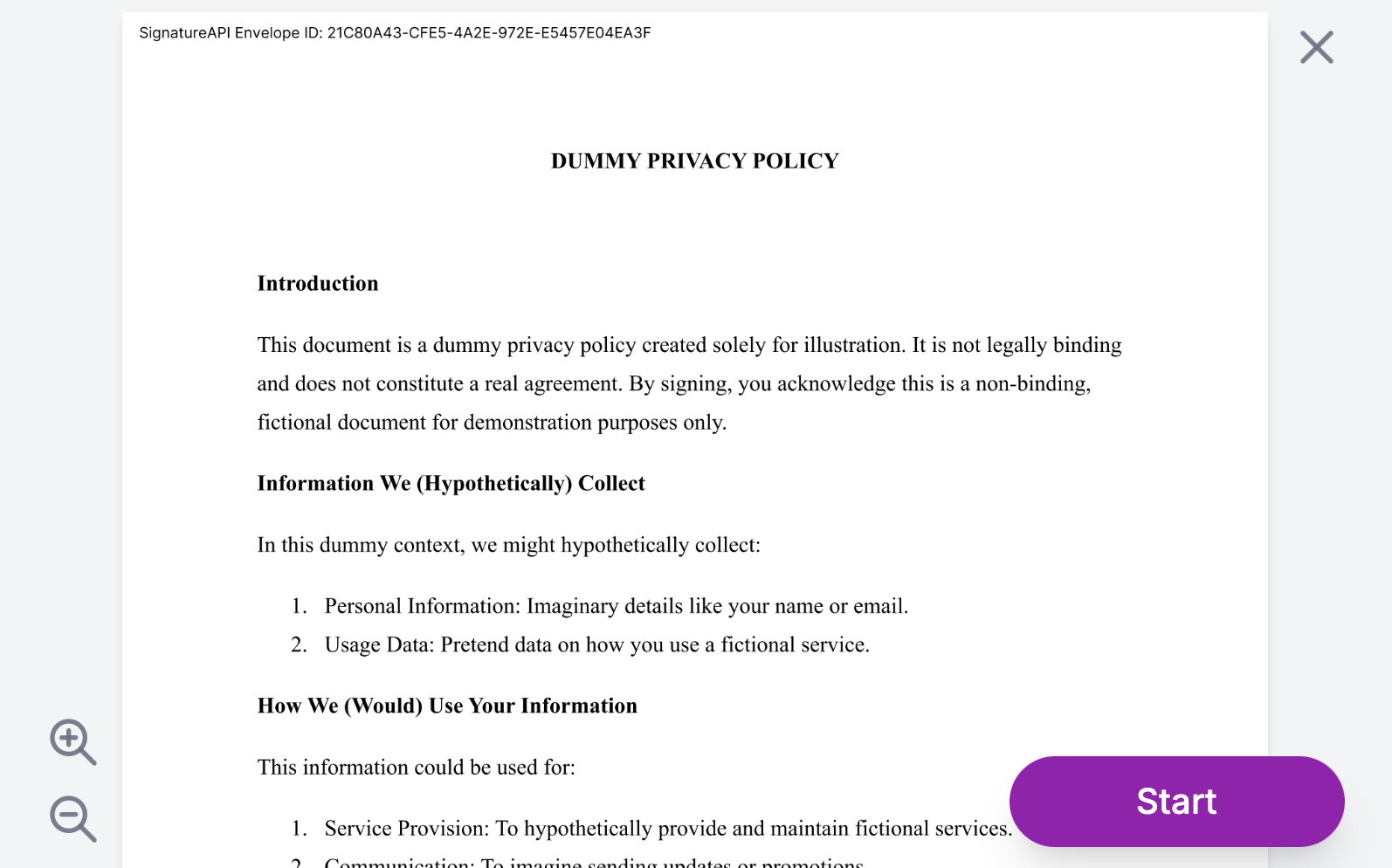
You can set the accent color of the ceremony using the `accent_color` query parameter. The accent color appears in interface elements such as buttons and signature places. Make sure the color you choose is visible against a white document background.
The value must be a valid hexadecimal color code, without the `#` prefix. The default accent color is a shade of blue.
For example, to set the accent color to purple:
https://sign.signatureapi.com/en/start?token=eyJhbGci...iDsInR\&accent\_color=8e24aa
The ceremony will look like this:
 ## Behavior
### Disable Cancel
As a default, the ceremony allows the recipient to cancel the ceremony. You can disable this by setting the `allow_cancel` query parameter to `false`. You can do this to handle the cancellation in your application.
## Behavior
### Disable Cancel
As a default, the ceremony allows the recipient to cancel the ceremony. You can disable this by setting the `allow_cancel` query parameter to `false`. You can do this to handle the cancellation in your application.
https://sign.signatureapi.com/en/start?token=eyJhbGci...iDsInR\&allow\_cancel=false
### Event Delivery
The ceremony can send events to your application. You can configure the event delivery method by setting the `event_delivery` query parameter to either `redirect` or `message`.
#### Javascript Messages
When you set `event_delivery=message`, the ceremony will send events to your application as a Javascript Message with a payload. This is useful when embedding in a web app using `