> ## Documentation Index
> Fetch the complete documentation index at: https://signatureapi-daf4ee54.mintlify.site/llms.txt
> Use this file to discover all available pages before exploring further.
# Email Notifications
Notification channels let you receive email updates about envelope and recipient activity in your account.
When events occur (such as an envelope completing or a recipient bouncing), SignatureAPI sends a notification to each active channel.
## Adding a notification channel
In the Dashboard, navigate to **[Settings > Notifications](https://dashboard.signatureapi.com/settings/notifications)**.
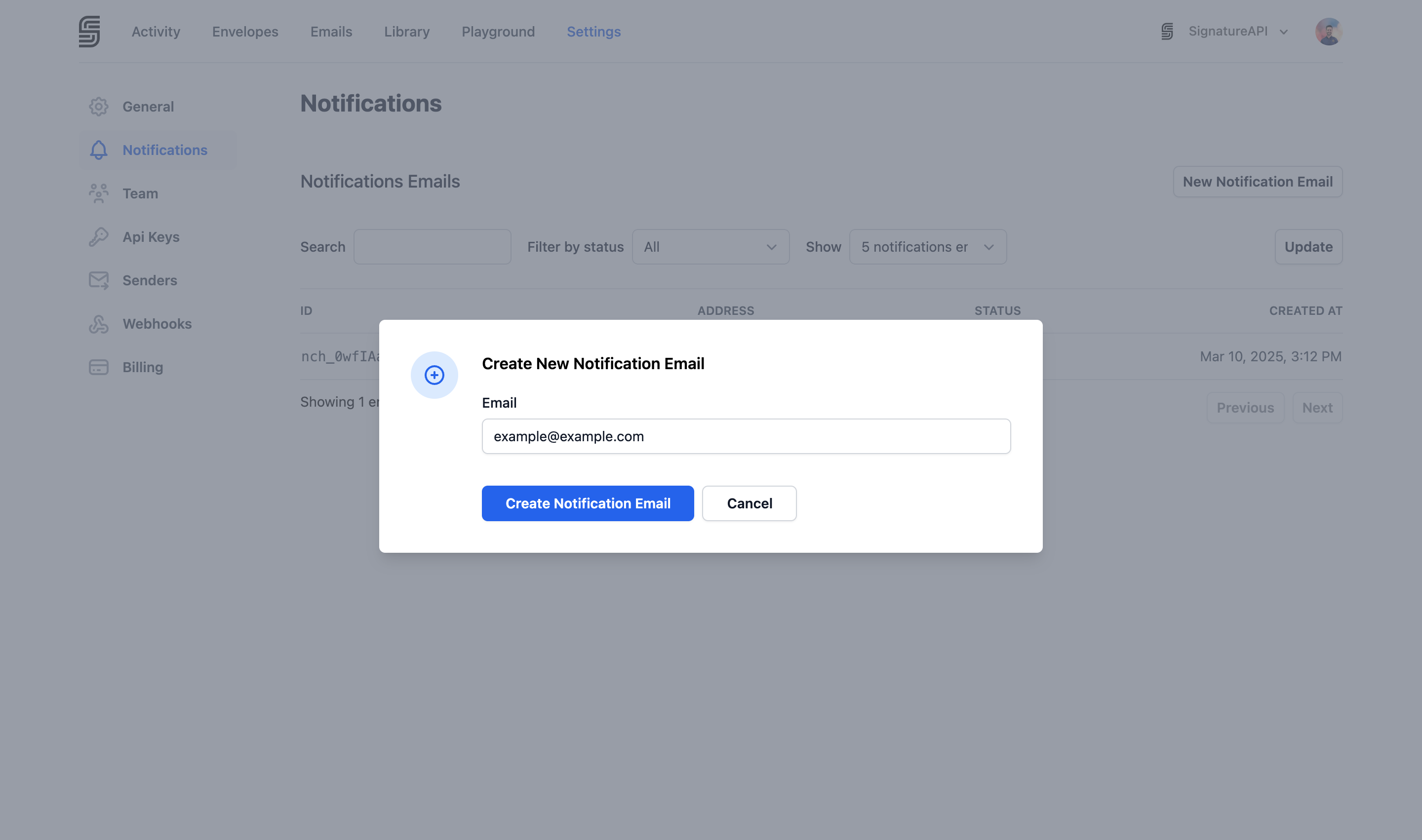
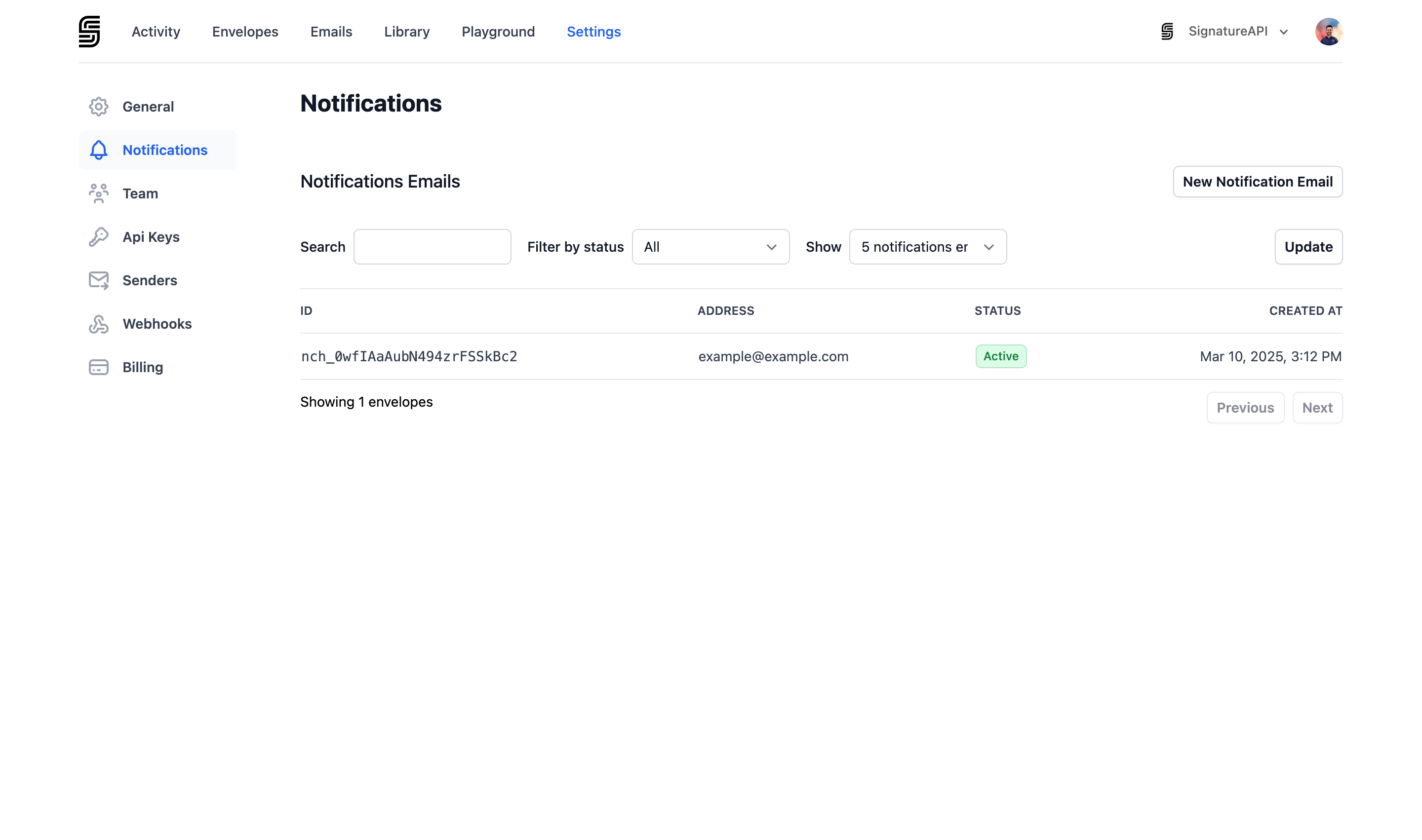 Click **New Notification Email** and enter the email address where you want to receive notifications.
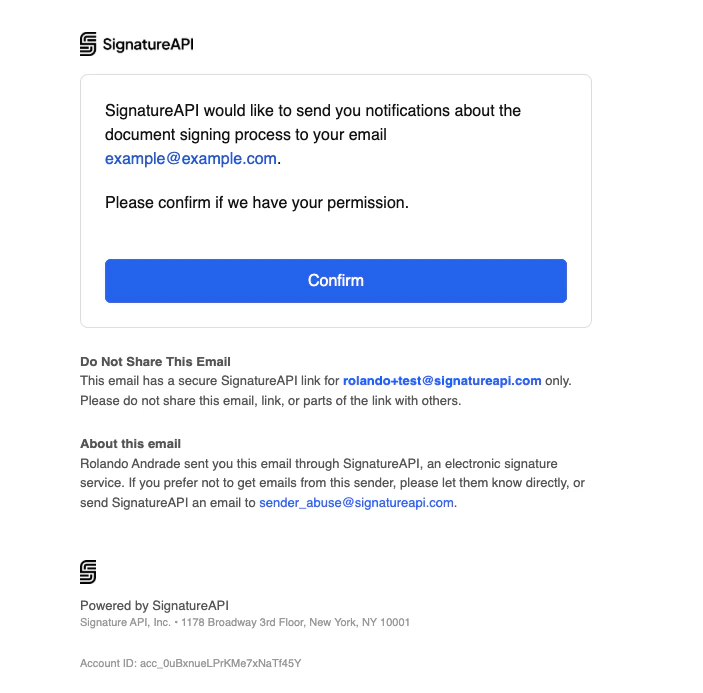
 A verification email is sent to the address. Click the confirmation link to activate the channel.
 You need the **Manage Notifications Settings** permission to add or remove notification channels.
## Stop Receiving Notifications
To delete a notification channel, go to **[Settings > Notifications](https://dashboard.signatureapi.com/settings/notifications)**, select the channel you want to remove, and delete it from the channel details page. Deleting a channel is permanent. The email address will stop receiving all notifications immediately, and you will need to re-add and re-verify it if you want to receive notifications at that address again.
You need the **Manage Notifications Settings** permission to add or remove notification channels.
## Stop Receiving Notifications
To delete a notification channel, go to **[Settings > Notifications](https://dashboard.signatureapi.com/settings/notifications)**, select the channel you want to remove, and delete it from the channel details page. Deleting a channel is permanent. The email address will stop receiving all notifications immediately, and you will need to re-add and re-verify it if you want to receive notifications at that address again.
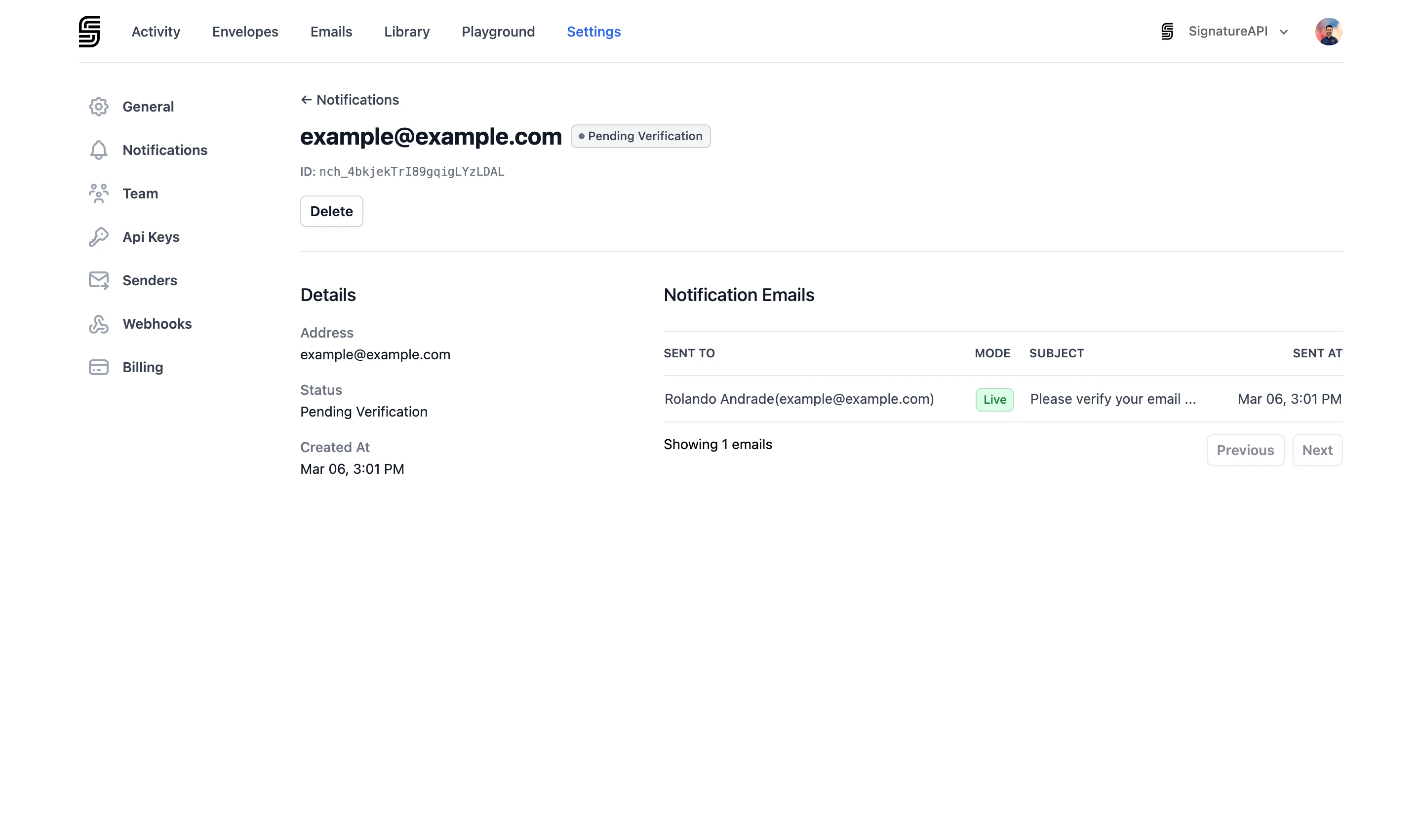 ## Channel statuses
| Status | Description |
| :------------------- | :--------------------------------------------------------------------------- |
| Pending Verification | A verification email has been sent. Click the link in the email to activate. |
| Active | The channel is verified and receiving notifications. |
## Notification events
Active channels receive notifications for the following events:
### Envelope events
| Event | Description |
| :----------------- | :------------------------------------------ |
| Envelope completed | All recipients have completed the envelope. |
| Envelope canceled | The envelope was canceled. |
| Envelope failed | The envelope has failed. |
### Recipient events
| Event | Description |
| :------------------ | :-------------------------------------------------------- |
| Recipient completed | The recipient completed the ceremony. |
| Recipient rejected | The recipient rejected the envelope. |
| Recipient bounced | The email to the recipient bounced (soft or hard bounce). |
| Recipient failed | The recipient's process failed. |
## Notification channels vs webhooks
Notification channels send human-readable emails for monitoring purposes. For programmatic event handling, use [webhooks](/docs/api/webhooks) instead.
## Channel statuses
| Status | Description |
| :------------------- | :--------------------------------------------------------------------------- |
| Pending Verification | A verification email has been sent. Click the link in the email to activate. |
| Active | The channel is verified and receiving notifications. |
## Notification events
Active channels receive notifications for the following events:
### Envelope events
| Event | Description |
| :----------------- | :------------------------------------------ |
| Envelope completed | All recipients have completed the envelope. |
| Envelope canceled | The envelope was canceled. |
| Envelope failed | The envelope has failed. |
### Recipient events
| Event | Description |
| :------------------ | :-------------------------------------------------------- |
| Recipient completed | The recipient completed the ceremony. |
| Recipient rejected | The recipient rejected the envelope. |
| Recipient bounced | The email to the recipient bounced (soft or hard bounce). |
| Recipient failed | The recipient's process failed. |
## Notification channels vs webhooks
Notification channels send human-readable emails for monitoring purposes. For programmatic event handling, use [webhooks](/docs/api/webhooks) instead.