> ## Documentation Index
> Fetch the complete documentation index at: https://signatureapi-daf4ee54.mintlify.site/llms.txt
> Use this file to discover all available pages before exploring further.
# SignatureAPI Docs
> Integrate electronic signatures into your apps and workflows with SignatureAPI's REST API, no-code connectors, and embedded signing solutions
Integrate electronic signatures into your apps and workflows with SignatureAPI.
## Get started
Create your first envelope and send it for signature using the REST API.
Build your first no-code signing workflow in Power Automate.
## What you can do
Send to multiple signers in parallel or sequential order. Track every envelope from creation to completion.
Fill templates with dynamic data to produce ready-to-sign documents.
Add input fields, checkboxes, and dropdowns to capture data during signing.
Embed the signing experience directly in your web or React Native app.
Build no-code signing workflows connected to 1,000+ apps.
Receive real-time updates when envelopes are signed, completed, or canceled.
[See all capabilities](/docs/api/can_i)
## How it works
An [envelope](/docs/api/resources/envelopes/object) holds your [documents](/docs/api/resources/documents/object) and [recipients](/docs/api/resources/recipients/object). Add documents directly as PDFs or generate them from [templates](/docs/api/resources/documents/templates).
```json expandable theme={null}
// POST https://api.signatureapi.com/v1/envelopes
// X-API-Key: key_test_...
// Content-Type: application/json
{
"title": "Dummy Consent",
"documents": [
{
"format": "pdf",
"url": "https://pub-9cb75390636c4a8a83a6f76da33d7f45.r2.dev/privacy-placeholder.pdf",
"places": [
{
"key": "signer_signs_here",
"type": "signature",
"recipient_key": "visitor"
}
]
}
],
"recipients": [
{
"type": "signer",
"key": "visitor",
"name": "John Doe",
"email": "john@example.com"
}
]
}
```
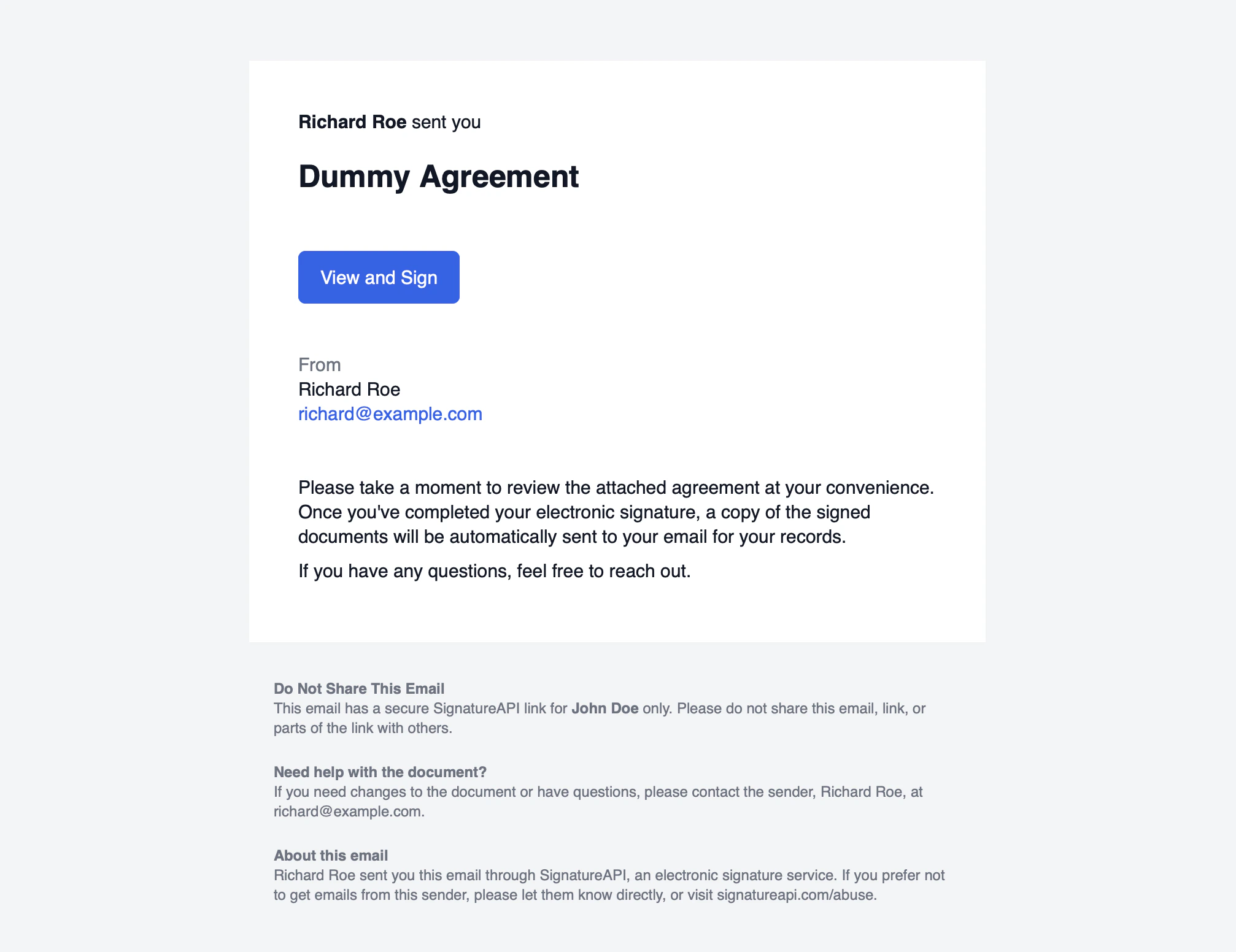
Each recipient gets a link to review and sign. You can control the [signing order](/docs/api/resources/envelopes/routing) and [authenticate recipients](/docs/api/resources/ceremonies/authentication/overview) before they access the documents.
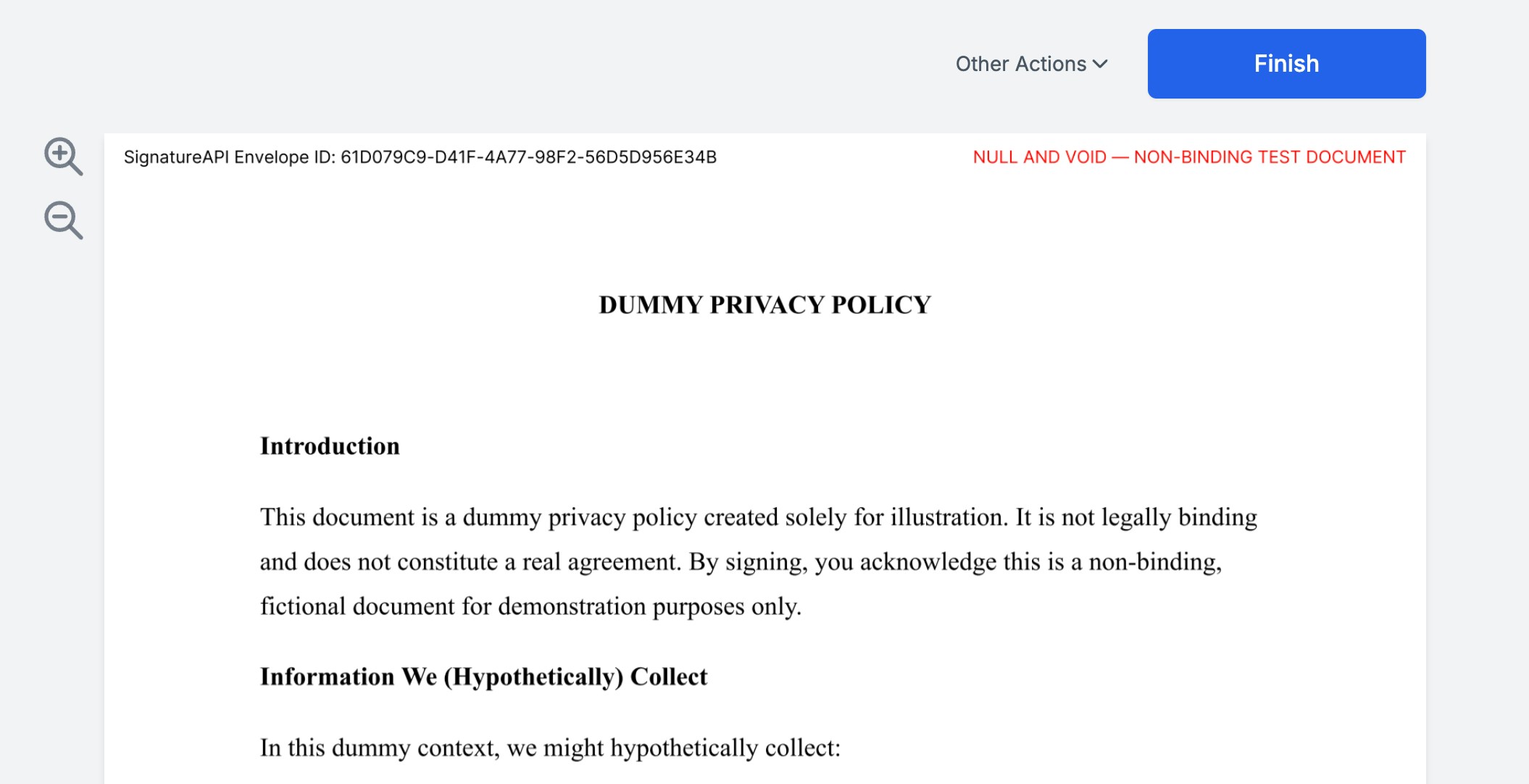
 A [ceremony](/docs/api/resources/ceremonies/object) is the guided signing session where recipients review documents and complete their actions.
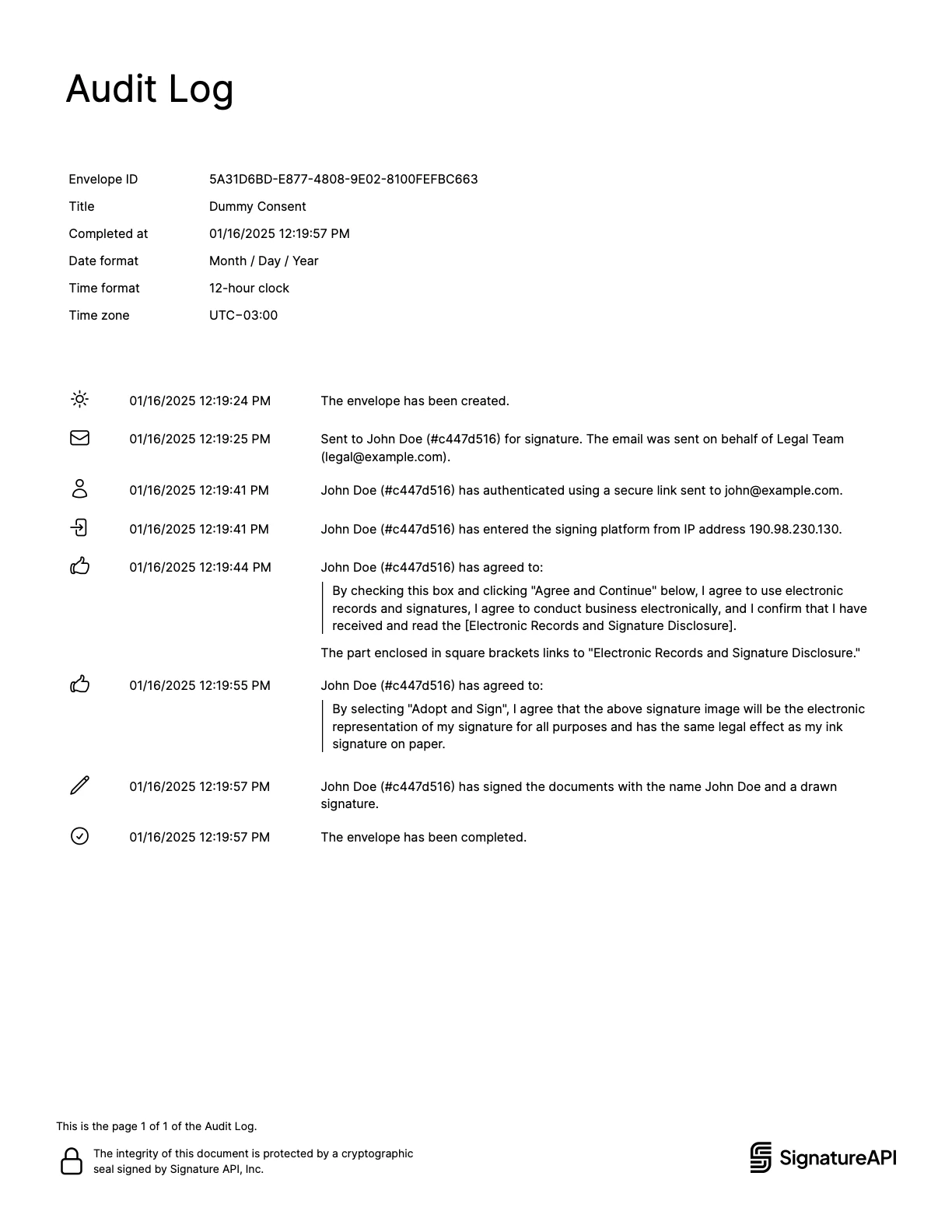
 After all recipients complete their actions, SignatureAPI generates a [deliverable](/docs/api/resources/deliverables/object) containing the signed documents and an audit log.
 ## Explore
Learn the core building blocks: envelopes, documents, recipients, ceremonies, and deliverables.
Endpoints, authentication, test mode, pagination, and error handling.
Try the API directly in your browser.
Import our Postman collection and start exploring.
Integrate the signing experience into your web or mobile app.
Quick answers to common questions about SignatureAPI capabilities.
## Explore
Learn the core building blocks: envelopes, documents, recipients, ceremonies, and deliverables.
Endpoints, authentication, test mode, pagination, and error handling.
Try the API directly in your browser.
Import our Postman collection and start exploring.
Integrate the signing experience into your web or mobile app.
Quick answers to common questions about SignatureAPI capabilities.