> ## Documentation Index
> Fetch the complete documentation index at: https://signatureapi-daf4ee54.mintlify.site/llms.txt
> Use this file to discover all available pages before exploring further.
# Webhooks
> Learn how to receive events in your webhook endpoint
Use webhooks to receive real-time events from your SignatureAPI account, so your backend can respond to these events and act accordingly.
Receiving webhook events is useful for handling asynchronous events such as when a [recipient signs an envelope](/docs/api/resources/events/recipient-events#recipient-completed), an [envelope is completed](/docs/api/resources/events/envelope-events#envelope-completed), a [deliverable is generated](/docs/api/resources/events/deliverable-events#deliverable-generated), or an [email to a recipient bounces](/docs/api/resources/events/recipient-events#recipient-soft-bounced).
## Setting Up Webhooks
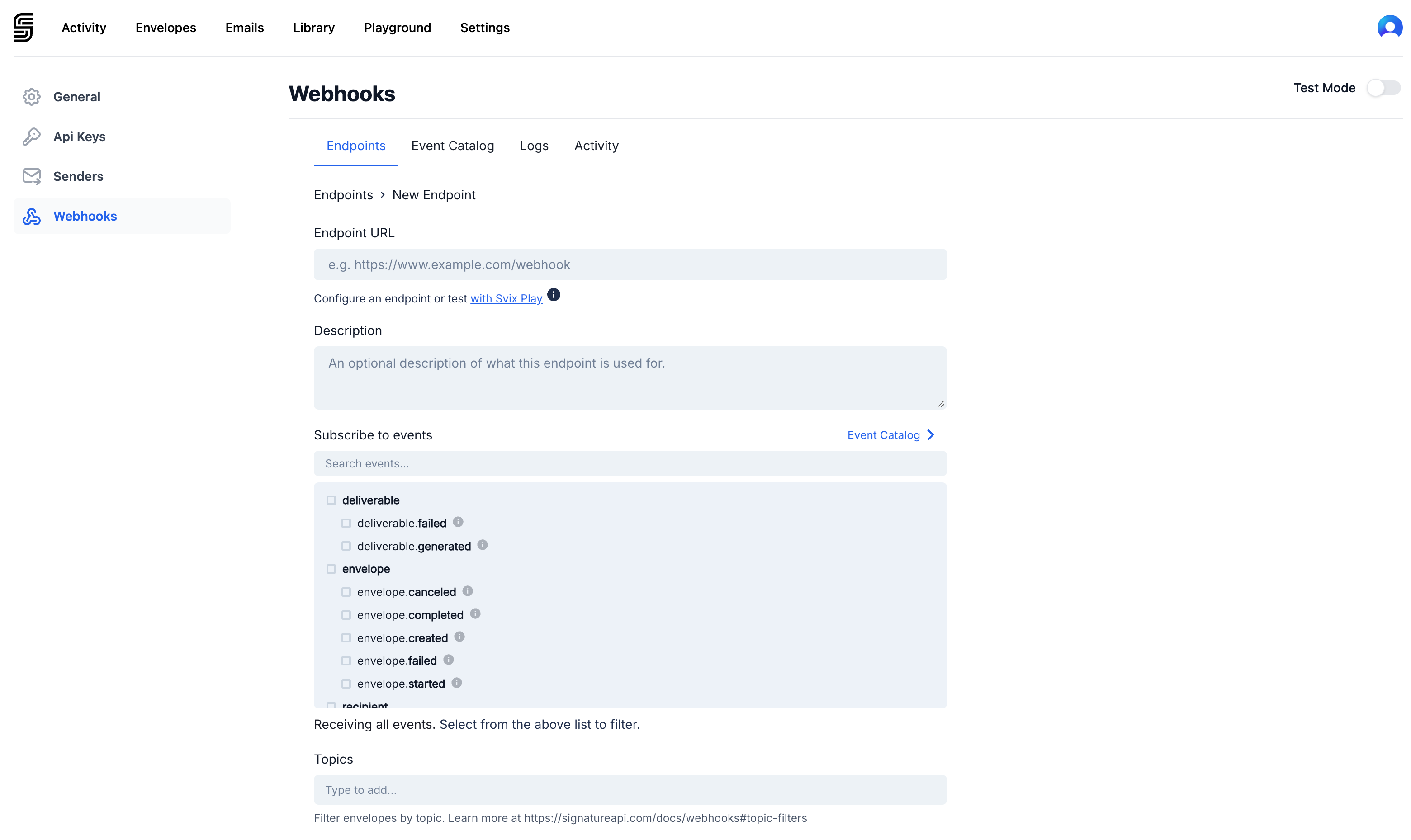
You can receive events by registering a webhook endpoint in the [Dashboard](https://dashboard.signatureapi.com/settings/webhooks). You can register different webhook endpoints for [test or live](/docs/api/test-mode) events and select the [specific events](/docs/api/resources/events/envelope-events) to subscribe to for each endpoint.
## Events
When an event happens, SignatureAPI creates a new [Event object](/docs/api/resources/events/object).
This is an example of an event object for a `recipient.completed` event:
```JSON theme={null}
{
"id": "evt_4p2oouvNvjp1I9ckgqycH2",
"type": "recipient.completed",
"timestamp": "2025-12-31T15:00:01.999Z",
"data": {
"envelope_id": "e387553d-cbb7-4924-abd8-b2d89699e9b5",
"envelope_metadata": {
"customer_ref": "x9550501",
"account_annual_revenue": "$4,500,000"
},
"object_id": "re_7v7Sion0vqjJioYmwfZ9mf",
"object_type": "recipient",
"recipient_type": "signer"
}
}
```
Learn more about the [different types of events](/docs/api/resources/events/envelope-events).
## Topic Filters
If you want to use this feature, please contact support at [support@signatureapi.com](mailto:support@signatureapi.com)
By default, SignatureAPI delivers events for all envelopes, whether in test or live mode.
To receive events only for specific envelopes at a webhook endpoint, use **topic filters**.
When creating an envelope, you can specify up to 10 topics in the `topics` array of the [Envelope object](/docs/api/resources/envelopes/object). Then, while setting up a webhook endpoint, list all the topics to receive events for those envelopes.
## Event Delivery
SignatureAPI delivers the event via a `POST` request to your webhook endpoint, with the [Event object](/docs/api/resources/events/object) as the JSON payload.
Delivery is successful if your endpoint responds with a status code in the `2XX` range (200 to 299). Any other status code means the delivery failed.
SignatureAPI does not guarantee the order of event delivery, so your endpoint should be able to handle events arriving out of order.
## Retries
If your endpoint responds with a status code outside the `2XX` range, SignatureAPI will keep trying to deliver the event for up to 48 hours, using an exponential backoff strategy.
If delivery fails consistently for several days, we will notify the account owner and may temporarily disable deliveries to the endpoint.
## Authentication
Webhook notifications are secured with an HMAC signature included in the `webhook-signature` header, following the [Standard Webhooks specification](https://github.com/standard-webhooks/standard-webhooks/blob/main/spec/standard-webhooks.md#verifying-webhook-authenticity).
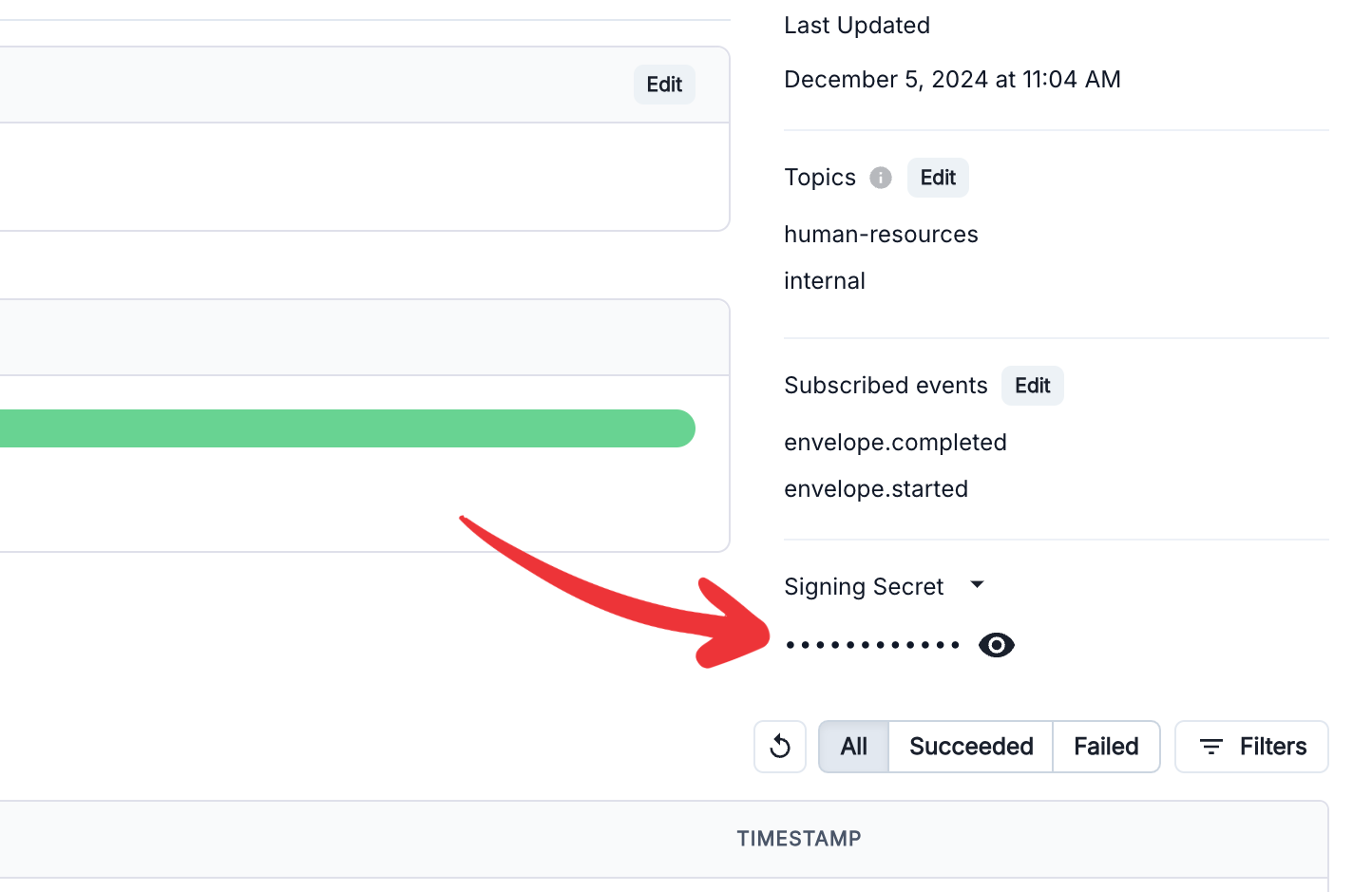
You can find the **Signing Secret** in the right column of the webhook endpoint definition:
Standard Webhooks provides SDKs to simplify webhook verification. For example, to verify signatures in [JavaScript or TypeScript](https://www.npmjs.com/package/standardwebhooks):
```JS theme={null}
import { Webhook } from "standardwebhooks"
const wh = new Webhook(signing_secret);
wh.verify(webhook_payload, webhook_headers);
```
Libraries are available for the following languages: [JavaScript and TypeScript](https://github.com/standard-webhooks/standard-webhooks/tree/main/libraries/javascript), [Python](https://github.com/standard-webhooks/standard-webhooks/tree/main/libraries/python), [Java and Kotlin](https://github.com/standard-webhooks/standard-webhooks/tree/main/libraries/java), [Rust](https://github.com/standard-webhooks/standard-webhooks/tree/main/libraries/rust),
[Go](https://github.com/standard-webhooks/standard-webhooks/tree/main/libraries/go), [Ruby](https://github.com/standard-webhooks/standard-webhooks/tree/main/libraries/ruby), [PHP](https://github.com/standard-webhooks/standard-webhooks/tree/main/libraries/php), [C#](https://github.com/standard-webhooks/standard-webhooks/tree/main/libraries/csharp), and [Elixir](https://github.com/standard-webhooks/standard-webhooks/tree/main/libraries/elixir).
## Source IPs
If your webhook endpoint is behind a firewall, allow traffic from the following IP addresses:
```
44.228.126.217
50.112.21.217
52.24.126.164
54.148.139.208
2600:1f24:64:8000::/56
```
## Tools
These tools can be useful for testing webhooks:
* [Webhook.site](https://webhook.site): Generates a random endpoint URL and lets you inspect POST requests sent to that endpoint.
* [ngrok](https://ngrok.com/): Sets up a tunnel from an internet-facing endpoint to your local machine, allowing you to process webhooks locally.