> ## Documentation Index
> Fetch the complete documentation index at: https://signatureapi-daf4ee54.mintlify.site/llms.txt
> Use this file to discover all available pages before exploring further.
# Place Positioning
> Position fields using text placeholders or fixed coordinates with page, x, and y values
Every place must be positioned on a document. There are two methods: [placeholders](#placeholders) embedded in the document text, or [fixed positions](#fixed-positions) specified as coordinates.
### Placeholders
A placeholder is a text string embedded directly in the document. Use the format `[[place_key]]`, where `place_key` matches the `key` of the corresponding place object.
**`[[double brackets]]` vs `{{double curly braces}}`**: these serve different purposes:
* `[[place_key]]`: **Place placeholders.** Position signature fields, text inputs, checkboxes, and other interactive places. Works in both PDF and DOCX documents.
* `{{field_key}}`: **Template fields.** Inject dynamic content (names, dates, addresses) into the document text before signing. Only available in DOCX documents. See [Document Templates](/docs/api/resources/documents/templates).
A DOCX document can use both: `{{}}` to inject content and `[[]]` to position places.
For example, to define placeholders for two places with the keys `licensor_signs_here` and `licensor_signed_at`:
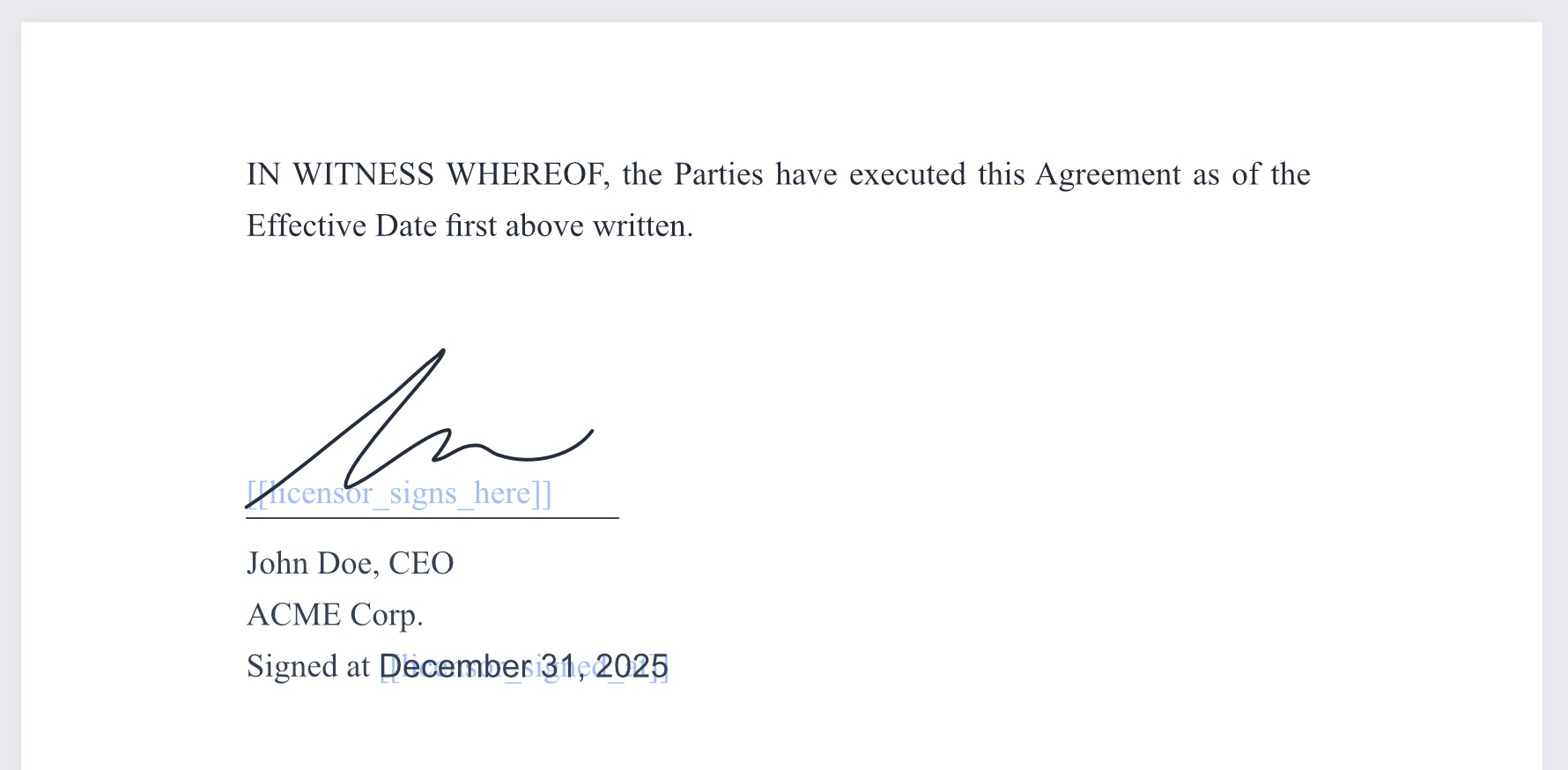
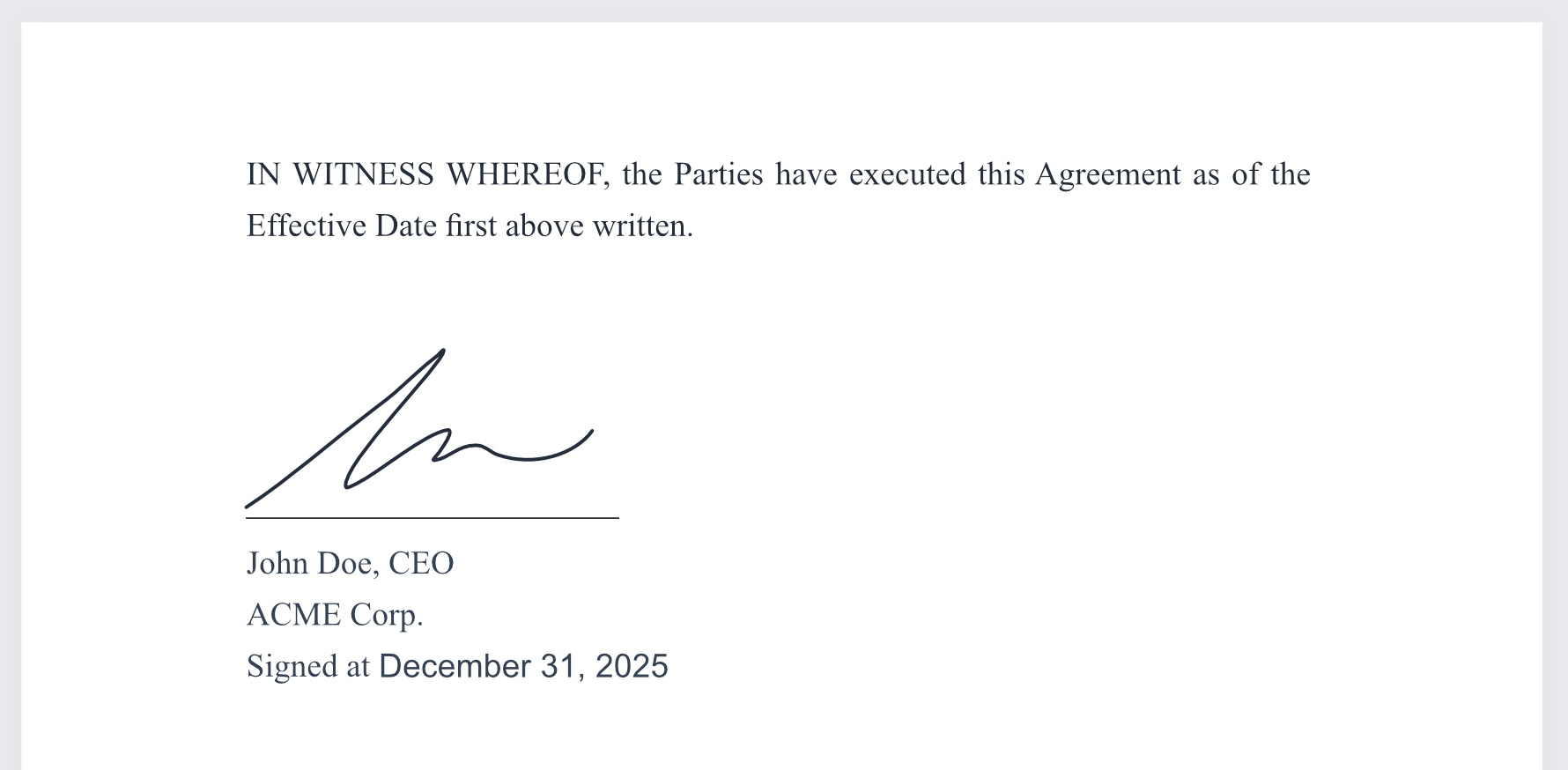
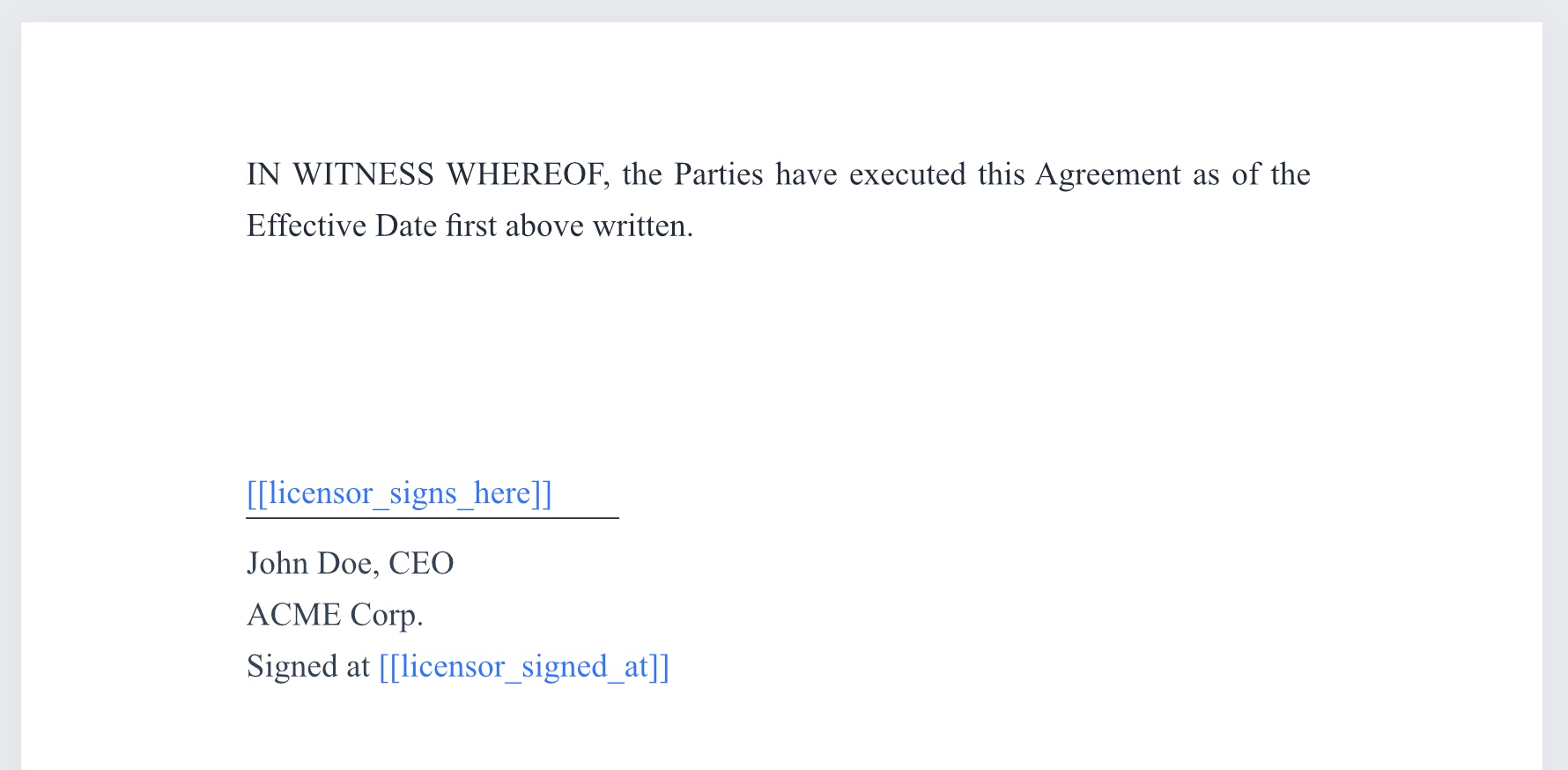 When the envelope is processed, each placeholder is replaced by the rendered place. If `licensor_signs_here` is a `signature` place, the recipient's signature appears over the placeholder. If `licensor_signed_at` is a `recipient_completed_date` place, the date appears there instead.
 To hide placeholders from recipients, set the placeholder text color to white.
 ### Fixed Positions
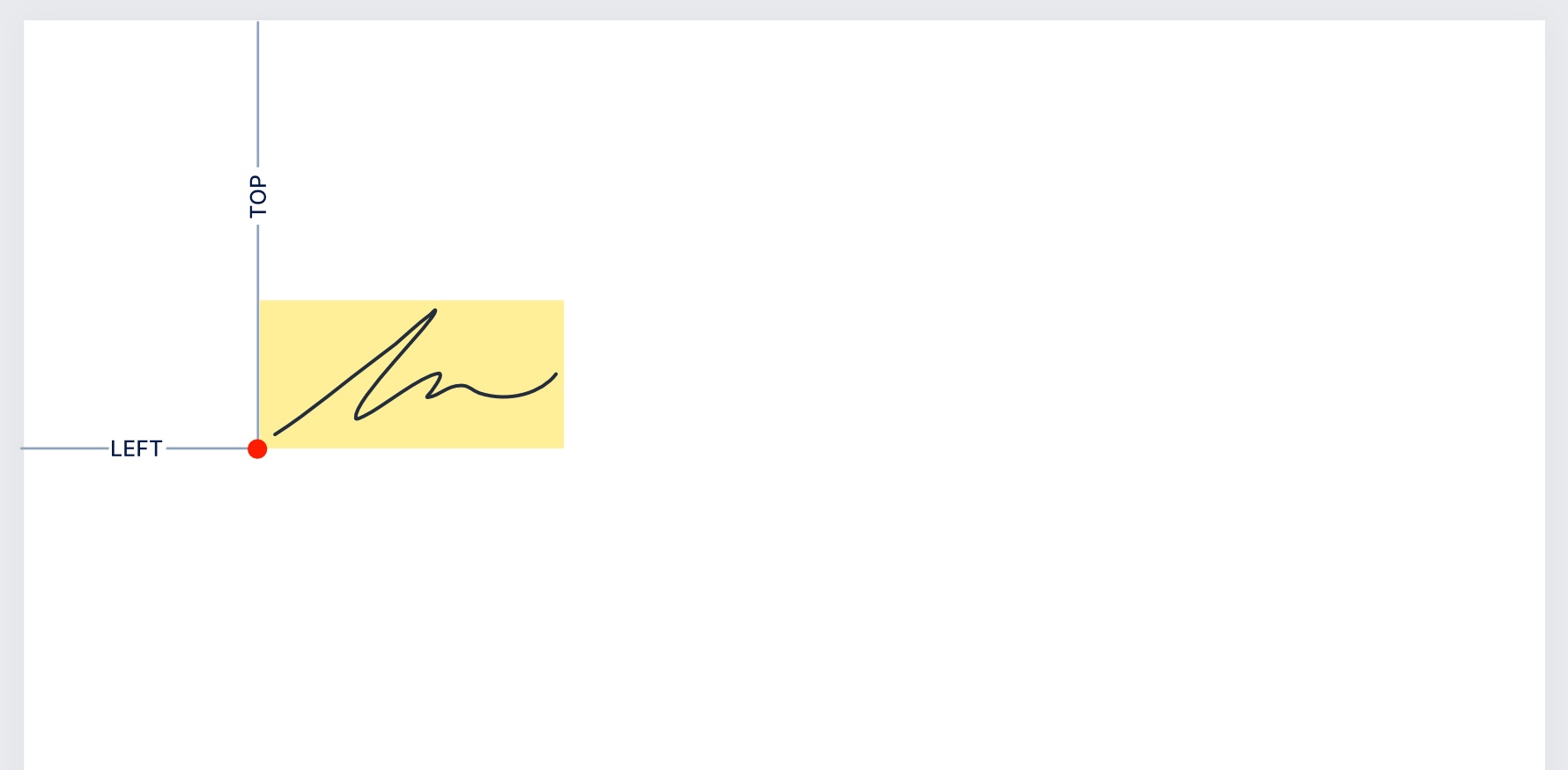
Fixed positions let you place a field at an exact location on a document page using coordinates. Specify the page number and the distances from the top (`top`) and left (`left`) edges of the page.
Both `top` and `left` are measured in points (1 point = 1/72 inch) and can include decimal values.
The coordinates reference the **bottom-left corner** of the place, as shown below.
### Fixed Positions
Fixed positions let you place a field at an exact location on a document page using coordinates. Specify the page number and the distances from the top (`top`) and left (`left`) edges of the page.
Both `top` and `left` are measured in points (1 point = 1/72 inch) and can include decimal values.
The coordinates reference the **bottom-left corner** of the place, as shown below.
 For example, to position a place with the key `employer_first_signature` at 1 inch from the left and 5 inches from the top of page 2:
```json theme={null}
"documents": [
{
//...
"fixed_positions": [
{
"place_key": "employer_first_signature",
"page": 2,
"top": 360,
"left": 72
}
]
//...
}
]
```
## Attributes
The key of the place to position. Must match the `key` of a place in the document's `places` array.
The page number where the place is positioned. Page numbering starts at 1.
The vertical distance from the top edge of the page to the bottom-left corner of the place, in points (1/72 inch). Decimal values are allowed.
The horizontal distance from the left edge of the page to the bottom-left corner of the place, in points (1/72 inch). Decimal values are allowed.
## Legacy Signature Places
Earlier versions of SignatureAPI used placeholders like `[[employee.signature]]`, which are called [Legacy Signature Places](/docs/api/resources/places/signature-legacy). The current approach uses place objects with either placeholder or fixed position coordinates, as described above. Legacy signature places continue to work, and new projects should use the place objects approach.
For Power Automate integration, legacy signature places are currently the only supported method.
For example, to position a place with the key `employer_first_signature` at 1 inch from the left and 5 inches from the top of page 2:
```json theme={null}
"documents": [
{
//...
"fixed_positions": [
{
"place_key": "employer_first_signature",
"page": 2,
"top": 360,
"left": 72
}
]
//...
}
]
```
## Attributes
The key of the place to position. Must match the `key` of a place in the document's `places` array.
The page number where the place is positioned. Page numbering starts at 1.
The vertical distance from the top edge of the page to the bottom-left corner of the place, in points (1/72 inch). Decimal values are allowed.
The horizontal distance from the left edge of the page to the bottom-left corner of the place, in points (1/72 inch). Decimal values are allowed.
## Legacy Signature Places
Earlier versions of SignatureAPI used placeholders like `[[employee.signature]]`, which are called [Legacy Signature Places](/docs/api/resources/places/signature-legacy). The current approach uses place objects with either placeholder or fixed position coordinates, as described above. Legacy signature places continue to work, and new projects should use the place objects approach.
For Power Automate integration, legacy signature places are currently the only supported method.