> ## Documentation Index
> Fetch the complete documentation index at: https://signatureapi-daf4ee54.mintlify.site/llms.txt
> Use this file to discover all available pages before exploring further.
# Use Fixed Positions to Position Signatures
> Position signature fields precisely using page coordinates for fixed-layout documents
In SignatureAPI, [places](/docs/api/resources/places/object) are areas in a document where recipients sign, enter information, or where details, such as dates, are automatically added. The [signature place](/docs/api/resources/places/signature) is one of such places.
There are two ways to position places: [fixed positions](/docs/api/resources/places/signature#fixed-positions) (coordinates) and [placeholders](/docs/api/resources/places/signature#placeholders) within the document. In this example, we will show how to position a **signature place** using **fixed positions**.
For this example, we will create an envelope with:
* One recipient (of type `signer`), identified with the key `visitor`.
* The visitor signs a single PDF document.
* The document will have one signature place, identified with the key `signer_signs_here`, that will be signed by the recipient `visitor` and will be added during the envelope creation using fixed positions.
All other envelope settings use the default configuration:
* The recipient will receive an email with a link to sign.
* The account's default language, timezone, and timestamp format used.
## Prepare your Document
The first step in the process is creating a PDF or DOCX file to upload.
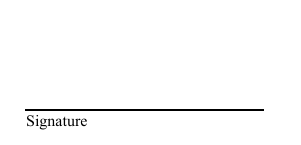
For this example, we prepared a document, where we put a line in the second page where we would like to place the signature.
Download the PDF used in this example.
 ## Locate the Coordinates
Fixed positions can be defined by specifying the page number, along with distances from the top of the page (`top`) and from the left side of the page (`left`), measured in points (1/72 of an inch).
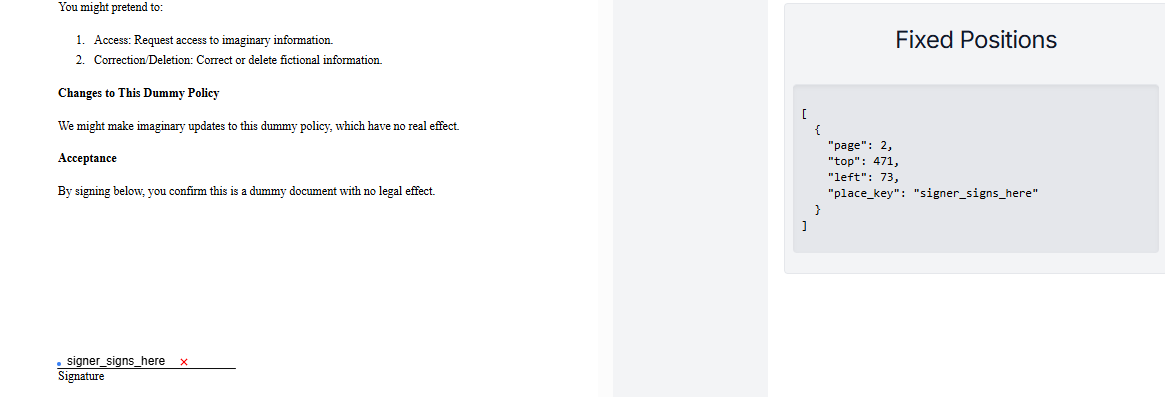
One of the main problems when using Fixed Positions is finding the exact coordinates. You can use any tool that indicates the position in points like image editors, or build your own. For this task, SignatureAPI provides a [simple tool](https://cucho.github.io/place-positioner/) that helps, just open the file and click on the point you want.
## Locate the Coordinates
Fixed positions can be defined by specifying the page number, along with distances from the top of the page (`top`) and from the left side of the page (`left`), measured in points (1/72 of an inch).
One of the main problems when using Fixed Positions is finding the exact coordinates. You can use any tool that indicates the position in points like image editors, or build your own. For this task, SignatureAPI provides a [simple tool](https://cucho.github.io/place-positioner/) that helps, just open the file and click on the point you want.
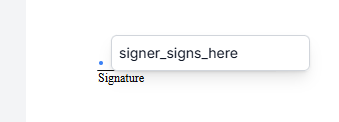 The `key` of the place will be `signer_signs_here`, and the position will be available at the sidebar.
 ## Create the Envelope
When creating the envelope, add the array of fixed positions inside the document, and add the signature place object to the `places` array inside the document object, with the following properties:
* `key`: Identifies the place within the document. Must match what you decided to use, in this case: `signer_signs_here`.
* `type`: As this is a signature place, use the value `signature`.
* `recipient_key`: The key of the recipient who will sign. Here, it's `visitor`.
```json theme={null}
// POST https://api.signatureapi.com/v1/envelopes
// X-Api-Key:
{
"title": "Dummy Consent",
"message": "Please review and sign the Dummy Privacy Policy for internal testing purposes. This document is not legally binding and is used solely for demonstration\n\nThank you for your cooperation.",
"documents": [
{
"url": "https://pub-9cb75390636c4a8a83a6f76da33d7f45.r2.dev/privacy-fixed.pdf",
"fixed_positions": [
{
"place_key": "signer_signs_here",
"page": 2,
"top": 471,
"left": 73
}
],
"places": [
{
"key": "signer_signs_here",
"type": "signature",
"recipient_key": "visitor"
}
]
}
],
"recipients": [
{
"type": "signer",
"key": "visitor",
"name": "John Doe",
"email": "john@example.com"
}
]
}
```
## Result
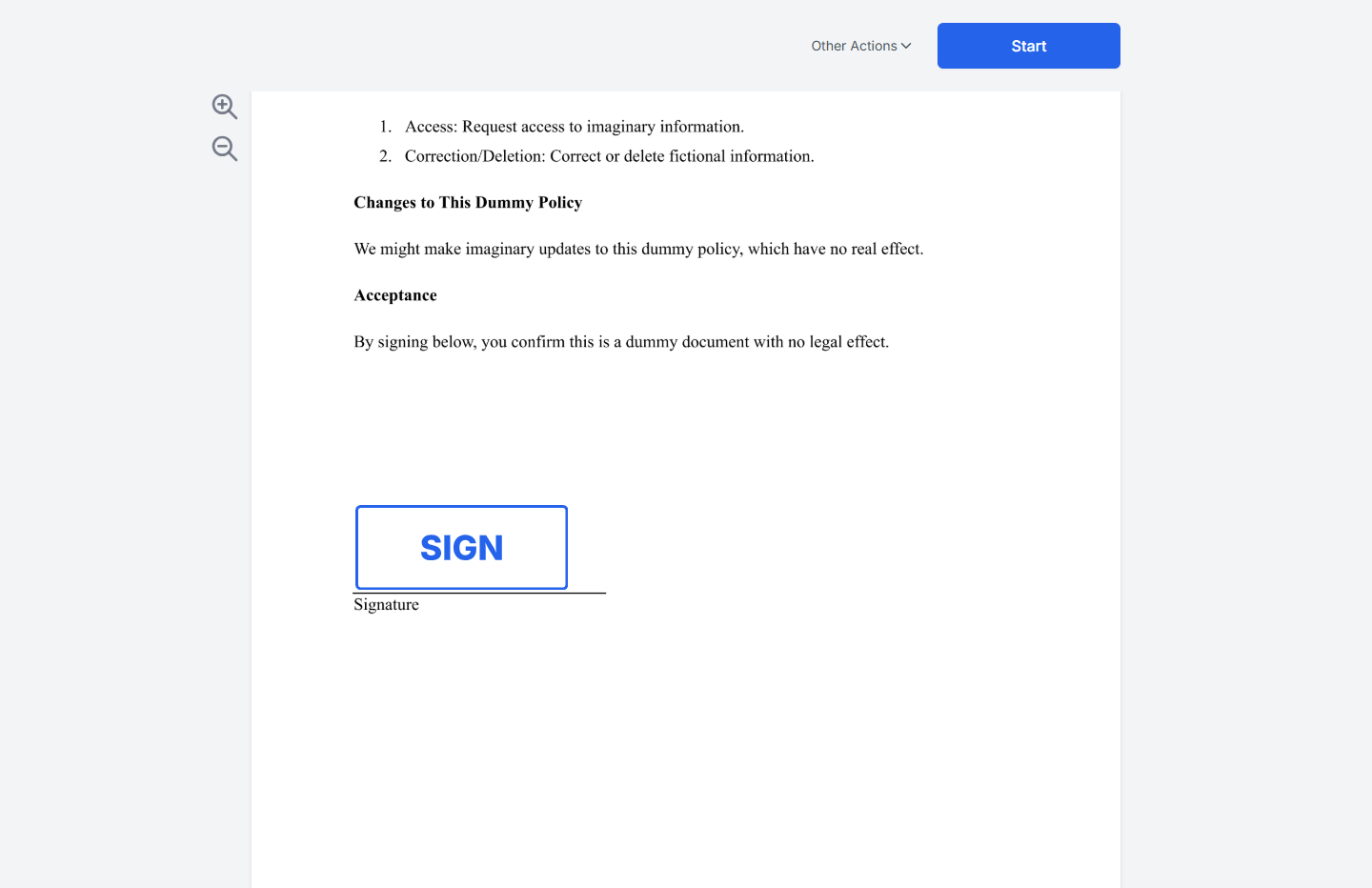
If successful, SignatureAPI will send John Doe (the recipient) an email with a link to sign. John can click the link and place his signature on the signature line.
## Create the Envelope
When creating the envelope, add the array of fixed positions inside the document, and add the signature place object to the `places` array inside the document object, with the following properties:
* `key`: Identifies the place within the document. Must match what you decided to use, in this case: `signer_signs_here`.
* `type`: As this is a signature place, use the value `signature`.
* `recipient_key`: The key of the recipient who will sign. Here, it's `visitor`.
```json theme={null}
// POST https://api.signatureapi.com/v1/envelopes
// X-Api-Key:
{
"title": "Dummy Consent",
"message": "Please review and sign the Dummy Privacy Policy for internal testing purposes. This document is not legally binding and is used solely for demonstration\n\nThank you for your cooperation.",
"documents": [
{
"url": "https://pub-9cb75390636c4a8a83a6f76da33d7f45.r2.dev/privacy-fixed.pdf",
"fixed_positions": [
{
"place_key": "signer_signs_here",
"page": 2,
"top": 471,
"left": 73
}
],
"places": [
{
"key": "signer_signs_here",
"type": "signature",
"recipient_key": "visitor"
}
]
}
],
"recipients": [
{
"type": "signer",
"key": "visitor",
"name": "John Doe",
"email": "john@example.com"
}
]
}
```
## Result
If successful, SignatureAPI will send John Doe (the recipient) an email with a link to sign. John can click the link and place his signature on the signature line.
 ## Try It
[Try this example in Postman](/docs/api/postman) using your [test API key](/docs/api/test-mode) to create a free, non-binding test envelope. Test envelopes won't send emails, but you can review them in your dashboard.
## Keep Learning
* Learn how to position a signature using [placeholders](/docs/api/guides/how-to/use-placeholders) within the document.
* Explore other [types of places](/docs/api/resources/places/object), such as [initials](/docs/api/resources/places/initials), [text inputs](/docs/api/resources/places/text-input), or [completion dates](/docs/api/resources/places/date).
## Try It
[Try this example in Postman](/docs/api/postman) using your [test API key](/docs/api/test-mode) to create a free, non-binding test envelope. Test envelopes won't send emails, but you can review them in your dashboard.
## Keep Learning
* Learn how to position a signature using [placeholders](/docs/api/guides/how-to/use-placeholders) within the document.
* Explore other [types of places](/docs/api/resources/places/object), such as [initials](/docs/api/resources/places/initials), [text inputs](/docs/api/resources/places/text-input), or [completion dates](/docs/api/resources/places/date).