> ## Documentation Index
> Fetch the complete documentation index at: https://signatureapi-daf4ee54.mintlify.site/llms.txt
> Use this file to discover all available pages before exploring further.
# Send an Envelope to an Approver
> Route an envelope through an approver before it reaches a signer
An **approver** is a recipient who reviews and authorizes a document without adding a signature. Use an approver when someone needs to authorize a document before it goes out for a formal signature. Common examples include a manager reviewing a contract before it reaches a client, or a compliance officer checking a document before finalization.
In this example, we will create an envelope with:
* A single PDF document.
* Two recipients: an approver with the key `manager`, followed by a signer with the key `client`.
* Sequential routing so the approver acts first.
* One signature place assigned to the signer. The approver does not need a signature or initials place.
All other envelope settings use the default configuration:
* The signer will receive an email with a link to sign after the approver completes their step.
* The account's default language, timezone, and timestamp format used.
The `delivery_type` for approvers defaults to `none`, meaning the completed deliverable will not be automatically emailed to the approver. Set `delivery_type` to `email` if you want SignatureAPI to deliver the completed deliverable by email.
## Create the Envelope
When creating the envelope:
* Set `routing` to `sequential` (this is the default, but it is good practice to be explicit).
* Add the approver recipient before the signer in the `recipients` array. The order of the array controls the routing order.
* Set `"type": "approver"` on the approver recipient.
* Add a signature place to the `places` array inside the document object, assigned to the signer only:
* `key`: Identifies the place. Must match the placeholder in the document file (e.g., `client_signature`).
* `type`: Set to `signature`.
* `recipient_key`: Set to the signer's key (`client`).
```json theme={null}
// POST https://api.signatureapi.com/v1/envelopes
// X-API-Key: key_test_...
// Content-Type: application/json
{
"title": "Service Agreement",
"routing": "sequential",
"documents": [
{
"url": "https://pub-9cb75390636c4a8a83a6f76da33d7f45.r2.dev/dummy-nda.pdf",
"places": [
{
"key": "client_signature",
"type": "signature",
"recipient_key": "client"
}
]
}
],
"recipients": [
{
"type": "approver",
"key": "manager",
"name": "Sarah Chen",
"email": "sarah@company.com"
},
{
"type": "signer",
"key": "client",
"name": "Michael Torres",
"email": "michael@client.com"
}
]
}
```
## Result
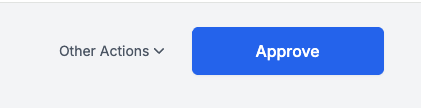
If the request is successful, Sarah Chen (the `manager`) enters the approver ceremony first. She reviews the document and, when satisfied, clicks **Approve**.
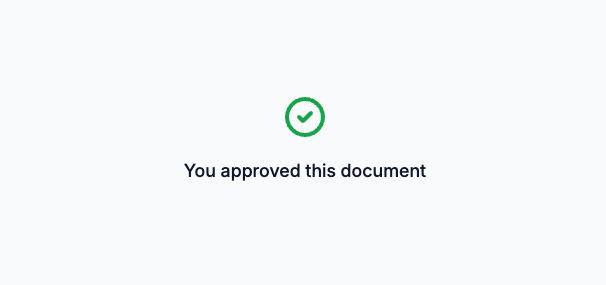
 A confirmation screen appears once the approval is complete.
 After Sarah approves, SignatureAPI routes the envelope to Michael Torres (the `client`). Michael receives an email with a link to sign the document and places his signature on the designated signature line.
## Try It
[Try this example in Postman](/docs/api/postman) using your [test API key](/docs/api/test-mode) to create a free, non-binding test envelope. Test envelopes won't send emails, but you can review them in your dashboard.
## Keep Learning
* Learn about [sequential signing](/docs/api/guides/how-to/sequential-signing) for workflows with multiple signers in a specific order.
* Learn about [parallel signing](/docs/api/guides/how-to/parallel-signing) for workflows where signing order does not matter.
* Explore the [Approver](/docs/api/resources/recipients/approver) recipient reference for details on delivery and place assignments.
* Explore other [types of places](/docs/api/resources/places/object), such as [text inputs](/docs/api/resources/places/text-input) that can be assigned to approvers.
After Sarah approves, SignatureAPI routes the envelope to Michael Torres (the `client`). Michael receives an email with a link to sign the document and places his signature on the designated signature line.
## Try It
[Try this example in Postman](/docs/api/postman) using your [test API key](/docs/api/test-mode) to create a free, non-binding test envelope. Test envelopes won't send emails, but you can review them in your dashboard.
## Keep Learning
* Learn about [sequential signing](/docs/api/guides/how-to/sequential-signing) for workflows with multiple signers in a specific order.
* Learn about [parallel signing](/docs/api/guides/how-to/parallel-signing) for workflows where signing order does not matter.
* Explore the [Approver](/docs/api/resources/recipients/approver) recipient reference for details on delivery and place assignments.
* Explore other [types of places](/docs/api/resources/places/object), such as [text inputs](/docs/api/resources/places/text-input) that can be assigned to approvers.