> ## Documentation Index
> Fetch the complete documentation index at: https://signatureapi-daf4ee54.mintlify.site/llms.txt
> Use this file to discover all available pages before exploring further.
# Multiple Recipients Signing In Parallel
> Send envelopes to multiple recipients simultaneously so they can sign in any order
When sending an envelope for signatures, you can control how it's sent to recipients using the `routing` property in the **[Envelope](https://signatureapi.com/docs/resources/envelopes/object#param-routing)**.
There are two options: **Sequential** and **Parallel**. By default, SignatureAPI uses sequential routing.
With **Parallel Routing**, the envelope is sent simultaneously to all recipients. Each recipient can sign the document whenever they want, and there is no required signing order.
In this example, we will create an envelope with:
* A single PDF document.
* Two recipients (signers) signing in parallel, with the keys `disclosing_party` and `receiving_party`.
* Two signature places positioned with placeholders `[[disclosing_party_signature]]` and `[[receiving_party_signature]]`.
All other envelope settings use the default configuration:
* The recipient will receive an email with a link to sign.
* The account's default language, timezone, and timestamp format used.
## Prepare your Document
Placeholders are text markers within your PDF document indicating specific locations for items such as signatures, initials, or text inputs. Each placeholder follows the format `[[place_key]]`, where `place_key` uniquely identifies the specific location within your document.
In this example, we have prepared a document containing the placeholders `[[disclosing_party_signature]]` and `[[receiving_party_signature]]`. These placeholders mark the exact positions within the document where the signatures corresponding to each key (`disclosing_party_signature` and `receiving_party_signature`) will be inserted.
Download the PDF used in this example.
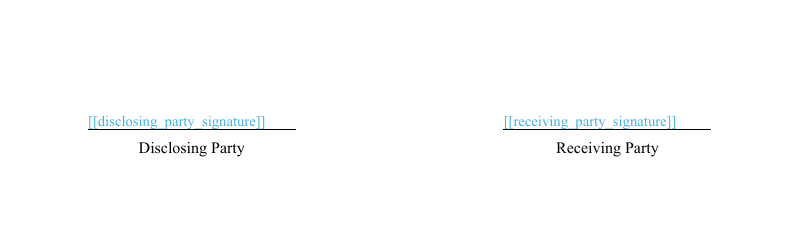 In our document, the placeholder is highlighted in blue for visibility. However, we recommend setting it to white so it remains invisible to the signer.
## Create the Envelope
When creating the envelope:
* Set `routing` to `parallel`.
* Add your recipient objects to the recipients property of the Envelope in any order, as they'll be sent simultaneously.
* Add the signature place objects to the `places` array inside the document object:
* `key`: Must match the placeholder within the document file (e.g., `disclosing_party_signature`).
* `type`: Set as `signature`.
* `recipient_key`: Matches recipient keys (`disclosing_party` and `receiving_party`).
```json theme={null}
// POST https://api.signatureapi.com/v1/envelopes
// X-Api-Key:
{
"title": "Dummy NDA",
"message": "Please review and sign the following Non-Disclosure Agreement (NDA) for internal testing purposes. This document is not legally binding and is used solely for demonstration\n\nThank you for your cooperation.",
"routing": "parallel",
"documents": [
{
"url": "https://pub-9cb75390636c4a8a83a6f76da33d7f45.r2.dev/dummy-nda.pdf",
"places": [
{
"key": "disclosing_party_signature",
"type": "signature",
"recipient_key": "disclosing_party"
},
{
"key": "receiving_party_signature",
"type": "signature",
"recipient_key": "receiving_party"
}
]
}
],
"recipients": [
{
"type": "signer",
"key": "disclosing_party",
"name": "Jane Doe",
"email": "jane@example.com"
},
{
"type": "signer",
"key": "receiving_party",
"name": "Richard Roe",
"email": "richard@example.com"
}
]
}
```
## Result
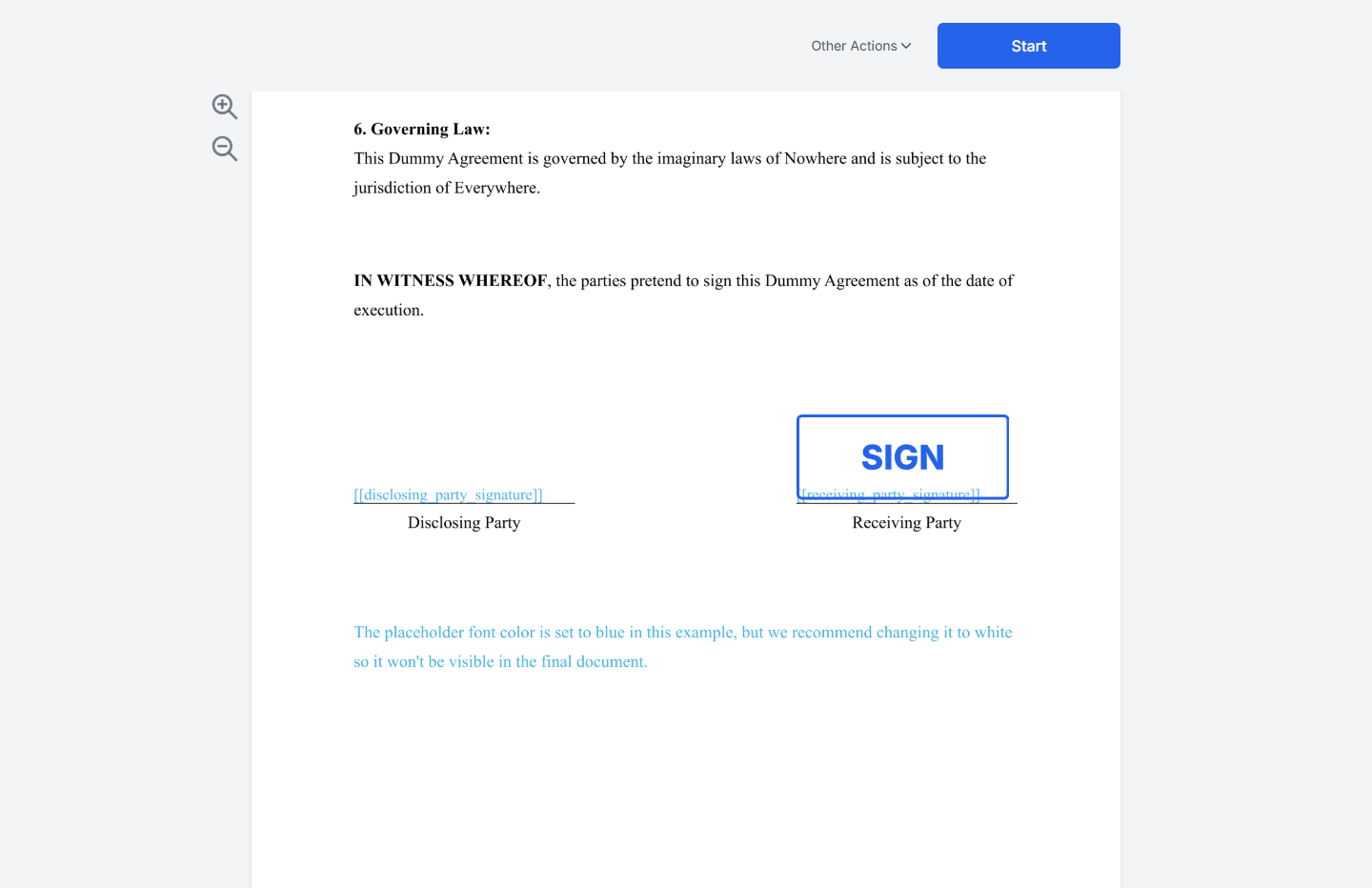
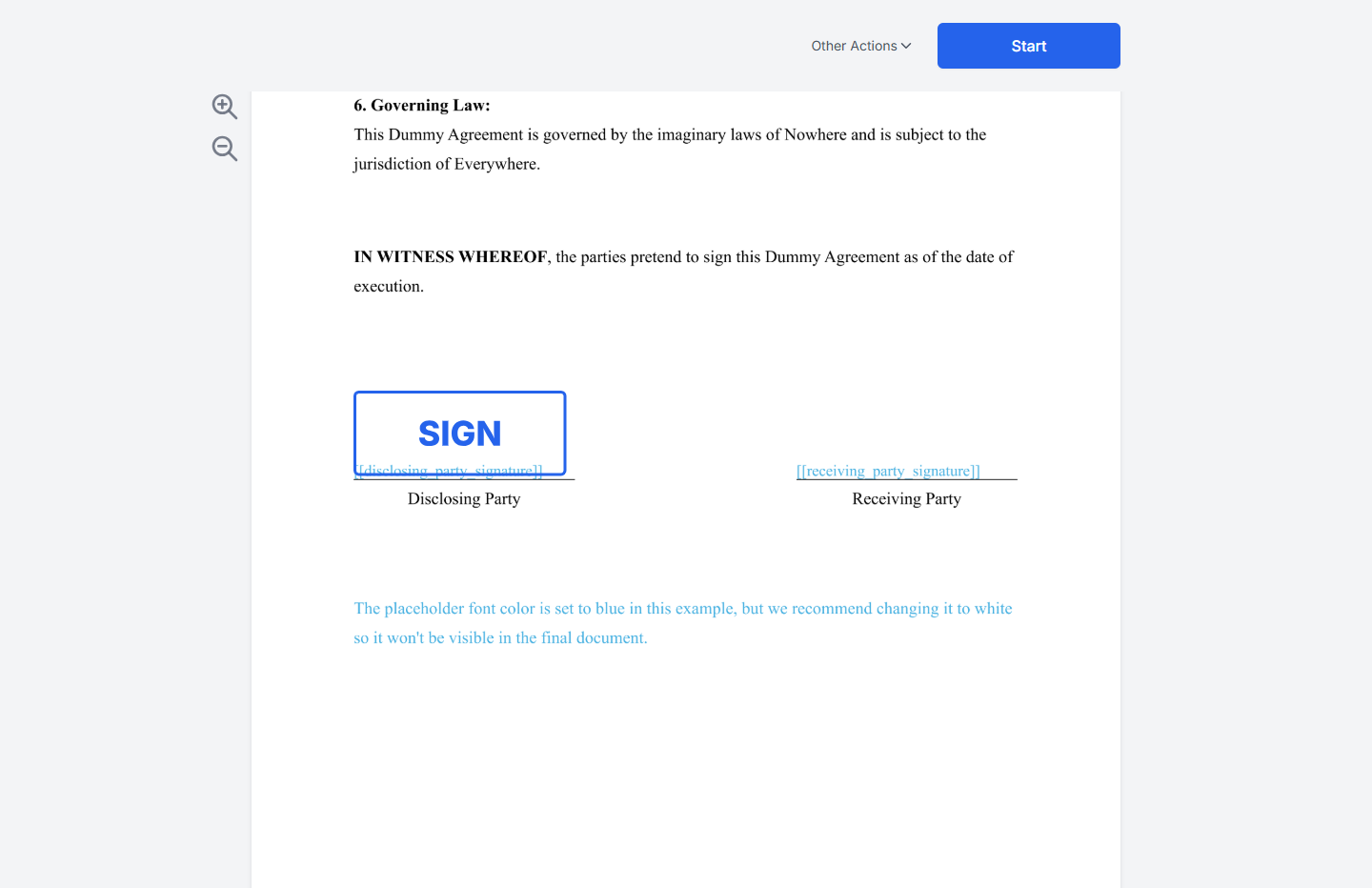
If successful, SignatureAPI will send emails to both Jane Doe ("disclosing\_party") and Richard Roe ("receiving\_party") with links to sign the document. Each signer places their signature on their designated signature line.
In our document, the placeholder is highlighted in blue for visibility. However, we recommend setting it to white so it remains invisible to the signer.
## Create the Envelope
When creating the envelope:
* Set `routing` to `parallel`.
* Add your recipient objects to the recipients property of the Envelope in any order, as they'll be sent simultaneously.
* Add the signature place objects to the `places` array inside the document object:
* `key`: Must match the placeholder within the document file (e.g., `disclosing_party_signature`).
* `type`: Set as `signature`.
* `recipient_key`: Matches recipient keys (`disclosing_party` and `receiving_party`).
```json theme={null}
// POST https://api.signatureapi.com/v1/envelopes
// X-Api-Key:
{
"title": "Dummy NDA",
"message": "Please review and sign the following Non-Disclosure Agreement (NDA) for internal testing purposes. This document is not legally binding and is used solely for demonstration\n\nThank you for your cooperation.",
"routing": "parallel",
"documents": [
{
"url": "https://pub-9cb75390636c4a8a83a6f76da33d7f45.r2.dev/dummy-nda.pdf",
"places": [
{
"key": "disclosing_party_signature",
"type": "signature",
"recipient_key": "disclosing_party"
},
{
"key": "receiving_party_signature",
"type": "signature",
"recipient_key": "receiving_party"
}
]
}
],
"recipients": [
{
"type": "signer",
"key": "disclosing_party",
"name": "Jane Doe",
"email": "jane@example.com"
},
{
"type": "signer",
"key": "receiving_party",
"name": "Richard Roe",
"email": "richard@example.com"
}
]
}
```
## Result
If successful, SignatureAPI will send emails to both Jane Doe ("disclosing\_party") and Richard Roe ("receiving\_party") with links to sign the document. Each signer places their signature on their designated signature line.
 ## Try It
[Try this example in Postman](/docs/api/postman) using your [test API key](/docs/api/test-mode) to create a free, non-binding test envelope. Test envelopes won't send emails, but you can review them in your dashboard.
## Keep Learning
* Learn about [sequential signing](/docs/api/guides/how-to/sequential-signing) for workflows where the order of signing is important.
* Explore other [types of places](/docs/api/resources/places/object), such as [initials](/docs/api/resources/places/initials), [text inputs](/docs/api/resources/places/text-input), or [completion dates](/docs/api/resources/places/date).
* Position signatures using [precise coordinates](/docs/api/guides/how-to/use-fixed-positions.mdx).
## Try It
[Try this example in Postman](/docs/api/postman) using your [test API key](/docs/api/test-mode) to create a free, non-binding test envelope. Test envelopes won't send emails, but you can review them in your dashboard.
## Keep Learning
* Learn about [sequential signing](/docs/api/guides/how-to/sequential-signing) for workflows where the order of signing is important.
* Explore other [types of places](/docs/api/resources/places/object), such as [initials](/docs/api/resources/places/initials), [text inputs](/docs/api/resources/places/text-input), or [completion dates](/docs/api/resources/places/date).
* Position signatures using [precise coordinates](/docs/api/guides/how-to/use-fixed-positions.mdx).