> ## Documentation Index
> Fetch the complete documentation index at: https://signatureapi-daf4ee54.mintlify.site/llms.txt
> Use this file to discover all available pages before exploring further.
# Embed Signing in a Web App
> Embed the signing ceremony directly in your web app using an iframe and JavaScript message events
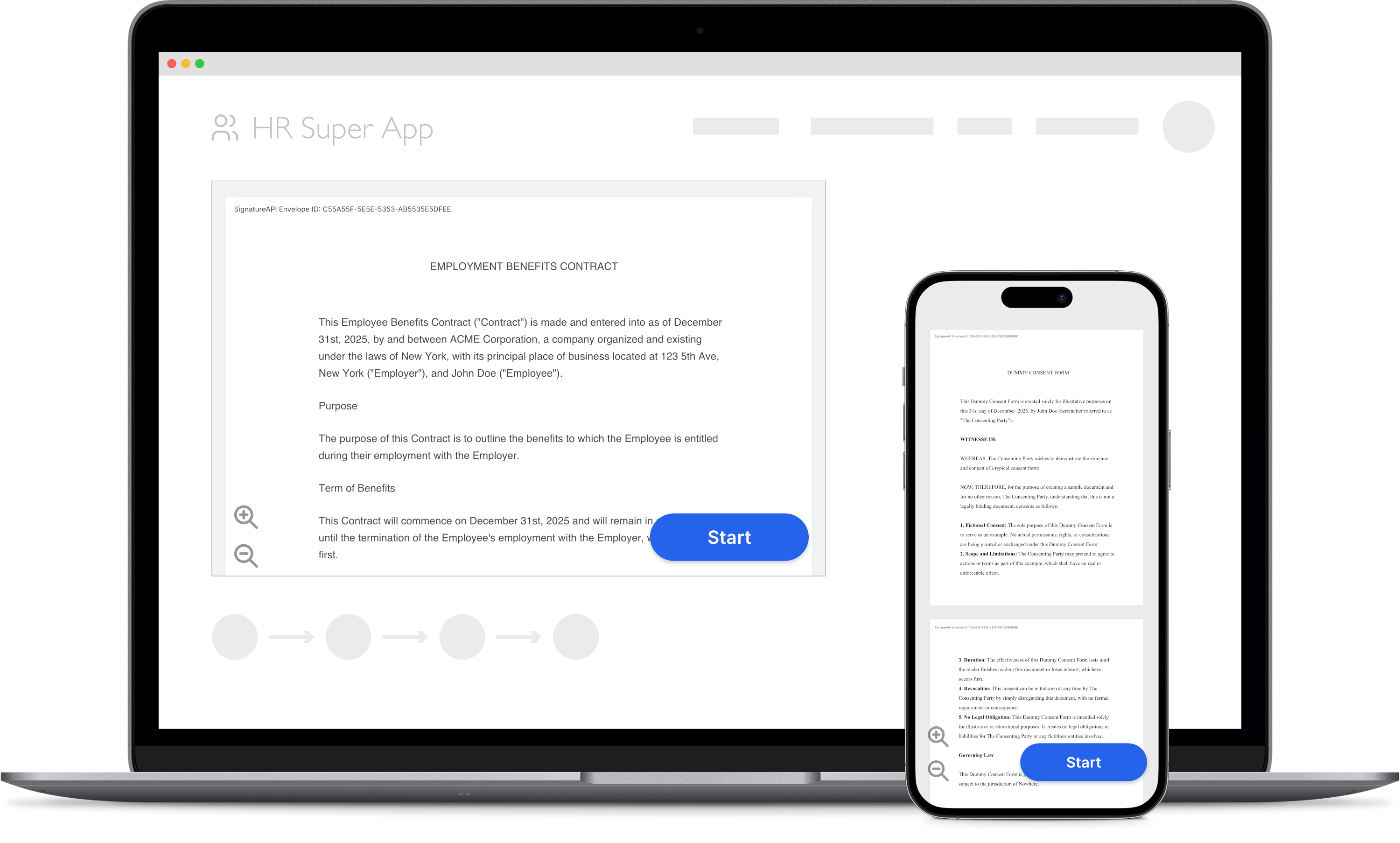 This guide shows how to embed the signing ceremony directly in your web application so users can sign documents without leaving your app.
The process requires two sides: a **server** that creates the envelope and ceremony using your API key, and a **client** that displays the ceremony inside an iframe.
In this example, we will:
* Create an envelope with custom authentication, `embeddable_in` set to your domain, and `delivery_type` set to `"none"` so the deliverable is not automatically emailed.
* Get the ceremony URL from the response and pass it to your client.
* Embed the ceremony URL in an iframe with the required query parameters.
* Listen for JavaScript message events to detect when signing is complete.
## Create the Envelope
Create an envelope on your server with two important settings on the recipient:
* Set `delivery_type` to `"none"` so the completed deliverable is not automatically emailed to the recipient. Your app is responsible for distributing the deliverable.
* Set `ceremony.embeddable_in` to the origin where your app is hosted so the signing interface is allowed to load inside your iframe.
Use `custom` authentication so the recipient does not need to go through an email flow. Your app handles authentication before presenting the ceremony.
```json theme={null}
// POST https://api.signatureapi.com/v1/envelopes
// X-API-Key: key_test_...
// Content-Type: application/json
{
"title": "Service Agreement",
"documents": [
{
"url": "https://pub-9cb75390636c4a8a83a6f76da33d7f45.r2.dev/privacy-placeholder.pdf",
"places": [
{
"key": "client_signature",
"type": "signature",
"recipient_key": "client"
}
]
}
],
"recipients": [
{
"type": "signer",
"key": "client",
"name": "Jane Doe",
"email": "jane@example.com",
"delivery_type": "none",
"ceremony": {
"authentication": [
{
"type": "custom",
"provider": "My App",
"data": {
"user_id": "usr_12345"
}
}
],
"embeddable_in": [
"https://app.example.com"
]
}
}
]
}
```
The response includes the ceremony URL in `recipients[].ceremony.url`. Because authentication is `custom`, the URL is available directly in the response. Pass this URL to your client so it can embed the ceremony.
```json theme={null}
// HTTP Status Code 201
{
"id": "abcdef12-3456-7890-1234-abcdef123456",
"title": "Service Agreement",
"recipients": [
{
"id": "re_01jxxxxxxxxxxxxxxxxxxxxxxxxx",
"type": "signer",
"key": "client",
"name": "Jane Doe",
"email": "jane@example.com",
"delivery_type": "none",
"ceremony": {
"authentication": [
{
"type": "custom",
"provider": "My App",
"data": {
"user_id": "usr_12345"
}
}
],
"embeddable_in": [
"https://app.example.com"
],
"redirect_url": null,
"redirect_delay": 3,
"url_variant": "standard",
"url": "https://sign.signatureapi.com/en/start?token=eyJhbGciOiJFUzI1NiIsInR..."
},
//...
}
],
//...
}
```
Never call the API directly from the client. Your API key would be exposed to anyone using your app, giving them access to all your data in SignatureAPI. Always make API calls from your server and pass the ceremony URL to the client.
## Embed the Ceremony
On the client, take the ceremony URL returned by your server and append two query parameters before using it as the iframe `src`:
* `embedded=true` - Configures the signing UI for embedding and sets the correct Content Security Policy headers.
* `event_delivery=message` - Delivers ceremony events as JavaScript `MessageEvent`s to your page.
```html theme={null}
```
Both query parameters are required. If you omit `embedded=true`, the browser will block the iframe due to Content Security Policy restrictions. If you omit `event_delivery=message`, your page will not receive ceremony events.
## Listen for Events
The embedded ceremony sends [JavaScript MessageEvents](https://developer.mozilla.org/en-US/docs/Web/API/MessageEvent) when the signing session reaches a terminal state. Add an event listener on the `window` object to handle these events and update your UI accordingly, for example by closing or hiding the iframe once signing is complete.
There are three event types:
| Event | Description |
| -------------------- | ------------------------------------------------ |
| `ceremony.completed` | The recipient completed signing. |
| `ceremony.canceled` | The recipient canceled the ceremony. |
| `ceremony.failed` | An error prevented the ceremony from completing. |
The event type is available as `event.data.type`. For `ceremony.failed` events, `event.data` also includes `error_type` and `error_message`.
```js theme={null}
// Function to handle the ceremony completed event
function handleCeremonyCompleted(event) {
console.log("Ceremony completed successfully.");
// For example: hide the iframe and show a confirmation message
}
// Function to handle the ceremony canceled event
function handleCeremonyCanceled(event) {
console.log("Ceremony was canceled by the user.");
// For example: hide the iframe and return the user to a previous step
}
// Function to handle the ceremony failed event
function handleCeremonyFailed(event) {
const { error_type, error_message } = event.data;
console.error(`Ceremony failed: ${error_type} - ${error_message}`);
// For example: show an error message to the user
}
// Function to handle incoming message events
function handleMessage(event) {
const { type } = event.data;
switch (type) {
case 'ceremony.completed':
handleCeremonyCompleted(event);
break;
case 'ceremony.canceled':
handleCeremonyCanceled(event);
break;
case 'ceremony.failed':
handleCeremonyFailed(event);
break;
default:
// Ignore unrecognized message types
break;
}
}
// Add event listener to window for message events
window.addEventListener('message', handleMessage, false);
```
## Testing
Before integrating the iframe into your application, use the **Embedder** tool to preview how the ceremony will appear:
1. Go to the [Embedder Tool](https://signatureapi.github.io/embedder/).
2. Enter your ceremony URL. The `embedded=true` and `event_delivery=message` query parameters are added automatically.
3. Optionally adjust the width and height in pixels.
4. The tool displays your ceremony in an iframe and shows the events received from it.
## Try It
[Try this example in Postman](/docs/api/postman) using your [test API key](/docs/api/test-mode) to create a free, non-binding test envelope. Test envelopes won't send emails, but you can review them in your dashboard and use the ceremony URL with the Embedder tool to verify your setup.
## Keep Learning
* Learn about [ceremony authentication options](/docs/api/resources/ceremonies/authentication/overview) to control how recipients verify their identity before signing.
* Read the full [Embedded Signing introduction](/docs/embedded/introduction) for an overview of embedding in web and mobile apps.
* Learn how to [embed signing in a mobile app](/docs/api/guides/how-to/embed-mobile) using WebView.
* Explore [ceremony events](/docs/embedded/ceremony-events) to understand all event types and the redirect-based delivery method for mobile apps.
This guide shows how to embed the signing ceremony directly in your web application so users can sign documents without leaving your app.
The process requires two sides: a **server** that creates the envelope and ceremony using your API key, and a **client** that displays the ceremony inside an iframe.
In this example, we will:
* Create an envelope with custom authentication, `embeddable_in` set to your domain, and `delivery_type` set to `"none"` so the deliverable is not automatically emailed.
* Get the ceremony URL from the response and pass it to your client.
* Embed the ceremony URL in an iframe with the required query parameters.
* Listen for JavaScript message events to detect when signing is complete.
## Create the Envelope
Create an envelope on your server with two important settings on the recipient:
* Set `delivery_type` to `"none"` so the completed deliverable is not automatically emailed to the recipient. Your app is responsible for distributing the deliverable.
* Set `ceremony.embeddable_in` to the origin where your app is hosted so the signing interface is allowed to load inside your iframe.
Use `custom` authentication so the recipient does not need to go through an email flow. Your app handles authentication before presenting the ceremony.
```json theme={null}
// POST https://api.signatureapi.com/v1/envelopes
// X-API-Key: key_test_...
// Content-Type: application/json
{
"title": "Service Agreement",
"documents": [
{
"url": "https://pub-9cb75390636c4a8a83a6f76da33d7f45.r2.dev/privacy-placeholder.pdf",
"places": [
{
"key": "client_signature",
"type": "signature",
"recipient_key": "client"
}
]
}
],
"recipients": [
{
"type": "signer",
"key": "client",
"name": "Jane Doe",
"email": "jane@example.com",
"delivery_type": "none",
"ceremony": {
"authentication": [
{
"type": "custom",
"provider": "My App",
"data": {
"user_id": "usr_12345"
}
}
],
"embeddable_in": [
"https://app.example.com"
]
}
}
]
}
```
The response includes the ceremony URL in `recipients[].ceremony.url`. Because authentication is `custom`, the URL is available directly in the response. Pass this URL to your client so it can embed the ceremony.
```json theme={null}
// HTTP Status Code 201
{
"id": "abcdef12-3456-7890-1234-abcdef123456",
"title": "Service Agreement",
"recipients": [
{
"id": "re_01jxxxxxxxxxxxxxxxxxxxxxxxxx",
"type": "signer",
"key": "client",
"name": "Jane Doe",
"email": "jane@example.com",
"delivery_type": "none",
"ceremony": {
"authentication": [
{
"type": "custom",
"provider": "My App",
"data": {
"user_id": "usr_12345"
}
}
],
"embeddable_in": [
"https://app.example.com"
],
"redirect_url": null,
"redirect_delay": 3,
"url_variant": "standard",
"url": "https://sign.signatureapi.com/en/start?token=eyJhbGciOiJFUzI1NiIsInR..."
},
//...
}
],
//...
}
```
Never call the API directly from the client. Your API key would be exposed to anyone using your app, giving them access to all your data in SignatureAPI. Always make API calls from your server and pass the ceremony URL to the client.
## Embed the Ceremony
On the client, take the ceremony URL returned by your server and append two query parameters before using it as the iframe `src`:
* `embedded=true` - Configures the signing UI for embedding and sets the correct Content Security Policy headers.
* `event_delivery=message` - Delivers ceremony events as JavaScript `MessageEvent`s to your page.
```html theme={null}
```
Both query parameters are required. If you omit `embedded=true`, the browser will block the iframe due to Content Security Policy restrictions. If you omit `event_delivery=message`, your page will not receive ceremony events.
## Listen for Events
The embedded ceremony sends [JavaScript MessageEvents](https://developer.mozilla.org/en-US/docs/Web/API/MessageEvent) when the signing session reaches a terminal state. Add an event listener on the `window` object to handle these events and update your UI accordingly, for example by closing or hiding the iframe once signing is complete.
There are three event types:
| Event | Description |
| -------------------- | ------------------------------------------------ |
| `ceremony.completed` | The recipient completed signing. |
| `ceremony.canceled` | The recipient canceled the ceremony. |
| `ceremony.failed` | An error prevented the ceremony from completing. |
The event type is available as `event.data.type`. For `ceremony.failed` events, `event.data` also includes `error_type` and `error_message`.
```js theme={null}
// Function to handle the ceremony completed event
function handleCeremonyCompleted(event) {
console.log("Ceremony completed successfully.");
// For example: hide the iframe and show a confirmation message
}
// Function to handle the ceremony canceled event
function handleCeremonyCanceled(event) {
console.log("Ceremony was canceled by the user.");
// For example: hide the iframe and return the user to a previous step
}
// Function to handle the ceremony failed event
function handleCeremonyFailed(event) {
const { error_type, error_message } = event.data;
console.error(`Ceremony failed: ${error_type} - ${error_message}`);
// For example: show an error message to the user
}
// Function to handle incoming message events
function handleMessage(event) {
const { type } = event.data;
switch (type) {
case 'ceremony.completed':
handleCeremonyCompleted(event);
break;
case 'ceremony.canceled':
handleCeremonyCanceled(event);
break;
case 'ceremony.failed':
handleCeremonyFailed(event);
break;
default:
// Ignore unrecognized message types
break;
}
}
// Add event listener to window for message events
window.addEventListener('message', handleMessage, false);
```
## Testing
Before integrating the iframe into your application, use the **Embedder** tool to preview how the ceremony will appear:
1. Go to the [Embedder Tool](https://signatureapi.github.io/embedder/).
2. Enter your ceremony URL. The `embedded=true` and `event_delivery=message` query parameters are added automatically.
3. Optionally adjust the width and height in pixels.
4. The tool displays your ceremony in an iframe and shows the events received from it.
## Try It
[Try this example in Postman](/docs/api/postman) using your [test API key](/docs/api/test-mode) to create a free, non-binding test envelope. Test envelopes won't send emails, but you can review them in your dashboard and use the ceremony URL with the Embedder tool to verify your setup.
## Keep Learning
* Learn about [ceremony authentication options](/docs/api/resources/ceremonies/authentication/overview) to control how recipients verify their identity before signing.
* Read the full [Embedded Signing introduction](/docs/embedded/introduction) for an overview of embedding in web and mobile apps.
* Learn how to [embed signing in a mobile app](/docs/api/guides/how-to/embed-mobile) using WebView.
* Explore [ceremony events](/docs/embedded/ceremony-events) to understand all event types and the redirect-based delivery method for mobile apps.