> ## Documentation Index
> Fetch the complete documentation index at: https://signatureapi-daf4ee54.mintlify.site/llms.txt
> Use this file to discover all available pages before exploring further.
# Use Document Templates
> Generate personalized documents from DOCX templates and dynamic data
Document templates let you create a single DOCX file with merge fields and conditionals, then generate a personalized document for each envelope you send. Instead of editing files manually before each send, you provide the data and SignatureAPI handles the merge.
For this example, we will create an envelope with:
* One DOCX template containing merge fields for party names and a date.
* Two signature places positioned with `[[place_key]]` placeholders.
* Two recipients (signers): a service provider and a client.
## Create a Template
Create a DOCX file in Microsoft Word and embed merge fields using double curly braces: `{{key}}`. When SignatureAPI processes the envelope, it replaces each field with the matching value from the `data` property you provide.
A simple template might look like this:
This Exploration Agreement is entered into as of \{\{date}}, between \{\{serviceProvider.name}} of \{\{serviceProvider.organization}} (the "Service Provider") and \{\{client.name}} of \{\{client.organization}} (the "Client").
You can reference nested objects using dot notation: `{{serviceProvider.name}}` reads the `name` key inside the `serviceProvider` object.
To mark where signatures should appear, add `[[place_key]]` placeholders directly in the document. These work the same way as in PDF documents. In this example, the template contains the placeholders `[[provider_signs_here]]` and `[[client_signs_here]]`.
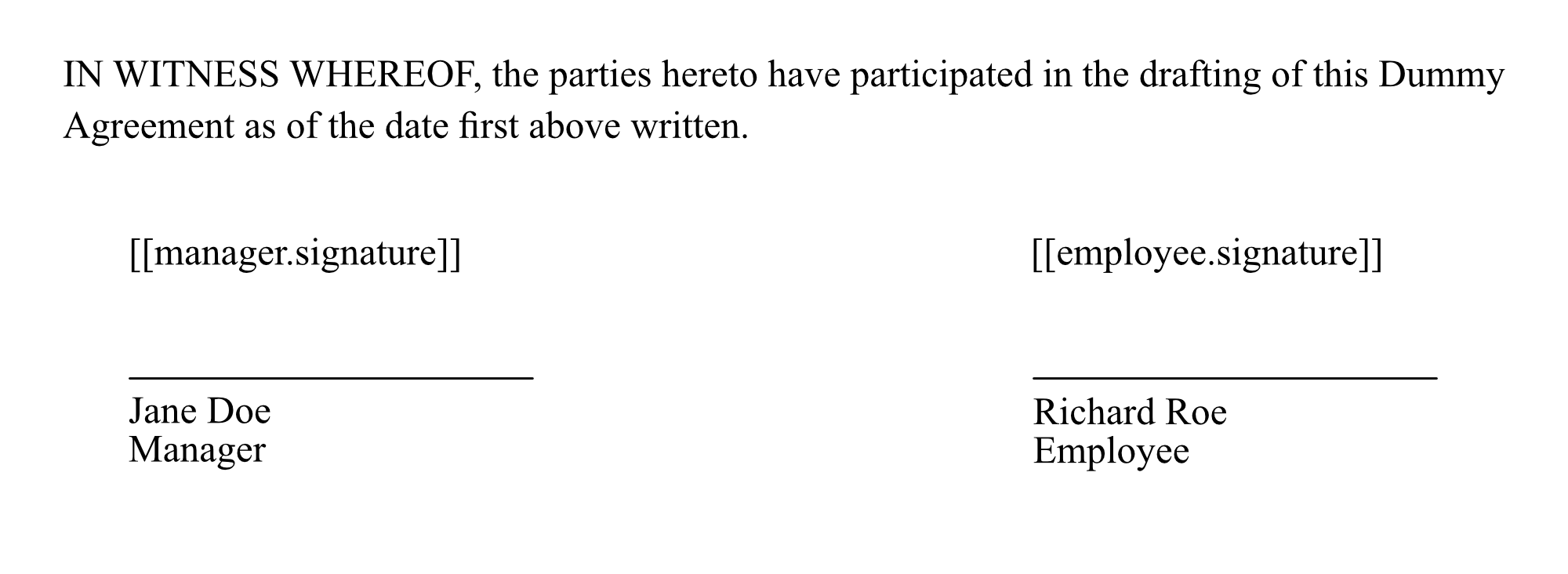 Templates must be DOCX format. PDF files are not supported for template merging. If you get a [cannot-parse-document](/docs/v1/errors/cannot-parse-document) error, open the file in Microsoft Word and save it again before uploading.
Download the DOCX template used in this example.
## Create the Envelope
When creating the envelope, set `format` to `docx` on the document object and provide merge values in the `data` property. Also include the `places` array with an entry for each `[[place_key]]` placeholder in the template.
```json theme={null}
// POST https://api.signatureapi.com/v1/envelopes
// X-API-Key: key_test_...
// Content-Type: application/json
{
"title": "Exploration Agreement",
"message": "Please review the agreement and provide your signature.",
"documents": [
{
"url": "https://pub-e5051420e98a4fdfb3fd42a62fbf06fa.r2.dev/dummy.docx",
"format": "docx",
"data": {
"date": "December 31st, 2025",
"serviceProvider": {
"name": "Jane Smith",
"organization": "ACME Global, Inc."
},
"client": {
"name": "Michael J. Miller",
"organization": "Miller Industries"
}
},
"places": [
{
"key": "provider_signs_here",
"type": "signature",
"recipient_key": "service_provider"
},
{
"key": "client_signs_here",
"type": "signature",
"recipient_key": "client"
}
]
}
],
"recipients": [
{
"type": "signer",
"key": "service_provider",
"name": "Jane Smith",
"email": "jane@example.com"
},
{
"type": "signer",
"key": "client",
"name": "Michael J. Miller",
"email": "michael@example.com"
}
]
}
```
Key properties on the document object:
* `format`: Must be `docx` when using a template.
* `data`: An object whose keys match the merge fields in the template. Nested objects are supported.
* `places`: An array of place objects. The `key` on each place must match the `[[place_key]]` placeholder in the template.
## Result
SignatureAPI merges the template with the provided data and produces a final document. The merge fields are replaced with their values, and the signature places are rendered at the positions marked by the placeholders.
Templates must be DOCX format. PDF files are not supported for template merging. If you get a [cannot-parse-document](/docs/v1/errors/cannot-parse-document) error, open the file in Microsoft Word and save it again before uploading.
Download the DOCX template used in this example.
## Create the Envelope
When creating the envelope, set `format` to `docx` on the document object and provide merge values in the `data` property. Also include the `places` array with an entry for each `[[place_key]]` placeholder in the template.
```json theme={null}
// POST https://api.signatureapi.com/v1/envelopes
// X-API-Key: key_test_...
// Content-Type: application/json
{
"title": "Exploration Agreement",
"message": "Please review the agreement and provide your signature.",
"documents": [
{
"url": "https://pub-e5051420e98a4fdfb3fd42a62fbf06fa.r2.dev/dummy.docx",
"format": "docx",
"data": {
"date": "December 31st, 2025",
"serviceProvider": {
"name": "Jane Smith",
"organization": "ACME Global, Inc."
},
"client": {
"name": "Michael J. Miller",
"organization": "Miller Industries"
}
},
"places": [
{
"key": "provider_signs_here",
"type": "signature",
"recipient_key": "service_provider"
},
{
"key": "client_signs_here",
"type": "signature",
"recipient_key": "client"
}
]
}
],
"recipients": [
{
"type": "signer",
"key": "service_provider",
"name": "Jane Smith",
"email": "jane@example.com"
},
{
"type": "signer",
"key": "client",
"name": "Michael J. Miller",
"email": "michael@example.com"
}
]
}
```
Key properties on the document object:
* `format`: Must be `docx` when using a template.
* `data`: An object whose keys match the merge fields in the template. Nested objects are supported.
* `places`: An array of place objects. The `key` on each place must match the `[[place_key]]` placeholder in the template.
## Result
SignatureAPI merges the template with the provided data and produces a final document. The merge fields are replaced with their values, and the signature places are rendered at the positions marked by the placeholders.
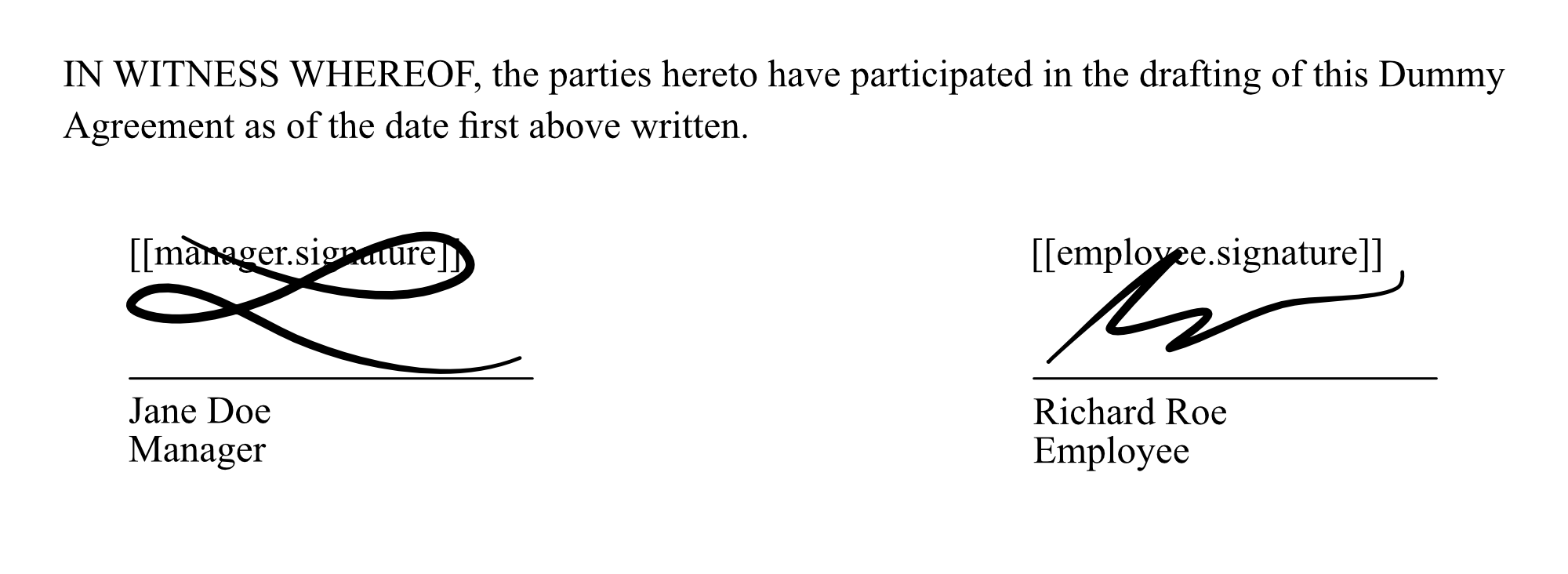 Each recipient receives an email with a link to sign their respective place in the document.
## Conditionals
Use conditionals to show or hide sections of the document based on your data. This is useful for clauses that apply only in certain situations, such as a mediation clause that is included only when both parties agree.
### If
Use `{{if condition}}` and `{{endif}}` to include a block only when the condition is true.
**Template:**
Each recipient receives an email with a link to sign their respective place in the document.
## Conditionals
Use conditionals to show or hide sections of the document based on your data. This is useful for clauses that apply only in certain situations, such as a mediation clause that is included only when both parties agree.
### If
Use `{{if condition}}` and `{{endif}}` to include a block only when the condition is true.
**Template:**
Please read before proceeding.
\{\{if showAlert}}
Important: This document is for demonstration purposes only and is not legally binding.
\{\{endif}}
By signing, you acknowledge the terms above.
**Data:**
```json theme={null}
{
"showAlert": true
}
```
With `"showAlert": true`, the alert paragraph appears. With `"showAlert": false`, it is omitted entirely.
### If-Else
Use `{{if condition}}`, `{{else}}`, and `{{endif}}` to display one of two blocks depending on the value of a condition.
**Template:**
\{\{if mediation}}
Any dispute shall be resolved by mediation, with each party bearing its own costs.
\{\{else}}
Any dispute shall be settled by arbitration, and the arbitrator's decision is final.
\{\{endif}}
With `"mediation": true`:
Any dispute shall be resolved by mediation, with each party bearing its own costs.
With `"mediation": false`:
Any dispute shall be settled by arbitration, and the arbitrator's decision is final.
## Try It
[Try this example in Postman](/docs/api/postman) using your [test API key](/docs/api/test-mode) to create a free, non-binding test envelope. Test envelopes won't send emails, but you can review them in your dashboard.
## Keep Learning
* Learn more about [document template syntax](/docs/api/resources/documents/templates), including all supported field and conditional options.
* Explore how to position signatures using [placeholders](/docs/api/guides/how-to/use-placeholders) or [fixed coordinates](/docs/api/guides/how-to/use-fixed-positions).
* Learn about other [types of places](/docs/api/resources/places/object), such as [initials](/docs/api/resources/places/initials), [text inputs](/docs/api/resources/places/text-input), or [completion dates](/docs/api/resources/places/date).